Yes – you can absolutely upgrade the battery on your Lenovo ThinkPad T480 for longer runtime.
In fact, the T480 is one of the most flexible ThinkPads when it comes to battery life, thanks to Lenovo’s
Power Bridge design: it uses an internal battery plus a removable external battery.
By upgrading the external pack (and refreshing the internal one if needed), you can turn a tired T480 into an
all-day mobile machine again.
Browse all batteries for Lenovo ThinkPad T480
1. Short answer: how to upgrade T480 battery for longer runtime
The ThinkPad T480 always has:
- an internal 24Wh battery inside the chassis, plus
- a removable rear battery that you can choose in 24Wh, 48Wh or 72Wh.
So the easiest and most effective way to upgrade battery life is:
- keep the internal 24Wh pack (or replace it if it’s very old), and
- upgrade the external battery from 24Wh to 48Wh or 72Wh.
This can boost total capacity from about 48Wh → 72Wh → 96Wh, which in real use can mean:
more hours of work, more meetings, and fewer urgent hunts for a power outlet.
2. The T480 battery layout: internal + external
To understand your upgrade options, it helps to know what’s inside the T480:
Internal battery (always 24Wh)
- 24Wh internal battery: Lenovo 01AV421 (Battery 1)
- Location: Inside the laptop, behind the bottom cover
- Role: Supports Power Bridge hot-swap and extends runtime

External battery (upgradeable)
The rear battery bay accepts three capacities, all compatible with the T480:
- 24Wh external – slim “61” battery (01AV423)
- 48Wh external – “61+” battery (01AV427)
- 72Wh external – extended “61” high-capacity
This external pack (Battery 2) is what you upgrade to get significantly more runtime.
3. External battery upgrade options for longer runtime
Option 1 – 24Wh external (standard, slim)
- Model: 24Wh Lenovo 01AV423 / “61”
- Total with internal: 24Wh + 24Wh = ≈48Wh
- Best for: keeping the T480 light and close to its original shape

If you already have the 24Wh rear battery and want longer runtime, you will gain more by moving to
48Wh or 72Wh than by simply replacing 24Wh with another 24Wh of the same size.
Option 2 – 48Wh external (best balance)
- Model: 48Wh Lenovo 01AV427 / “61+”
- Total with internal: 24Wh + 48Wh = ≈72Wh
- Best for: most users – big jump in runtime with reasonable weight
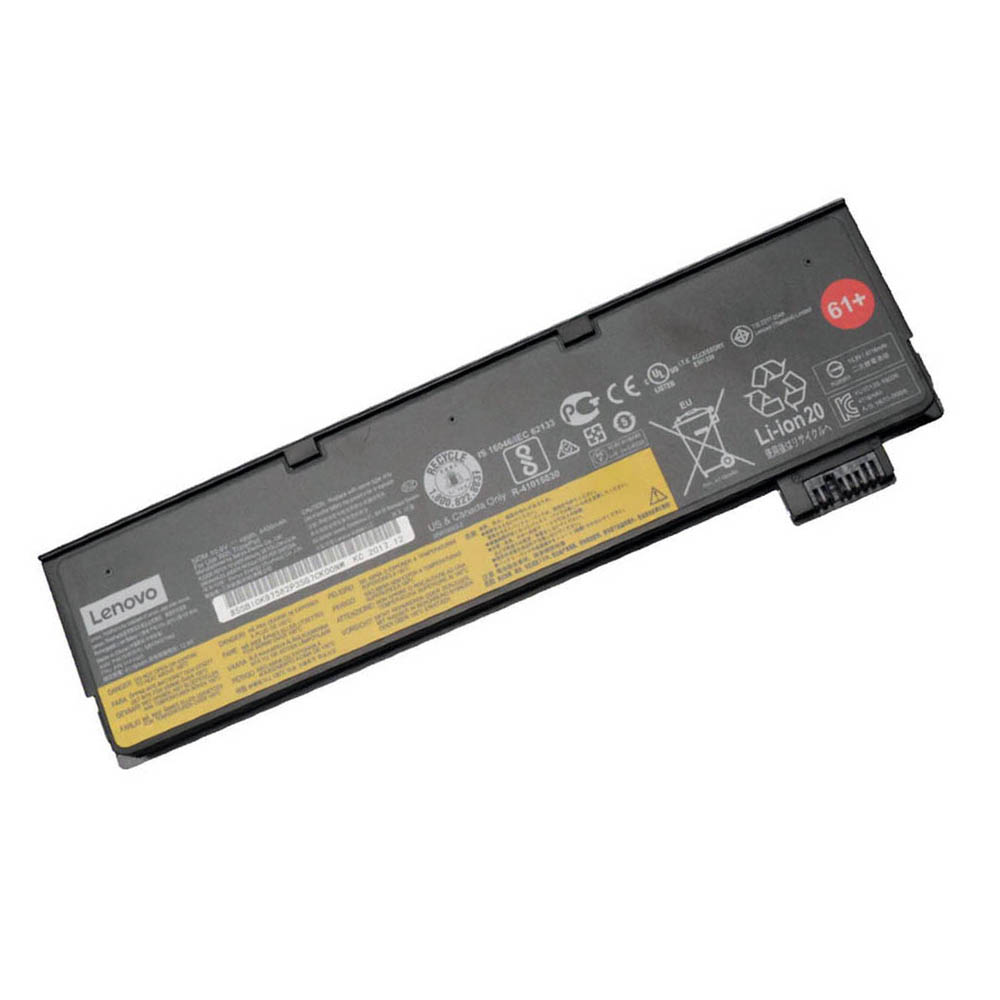
This is usually the sweet spot upgrade.
Compared to the 24Wh external, you effectively add an extra “internal battery” worth of capacity without
making the laptop too bulky.
Option 3 – 72Wh external (maximum runtime)
- Model: 72Wh Lenovo 61 extended high-capacity
- Total with internal: 24Wh + 72Wh = ≈96Wh
- Best for: travel, long days away from power, field work
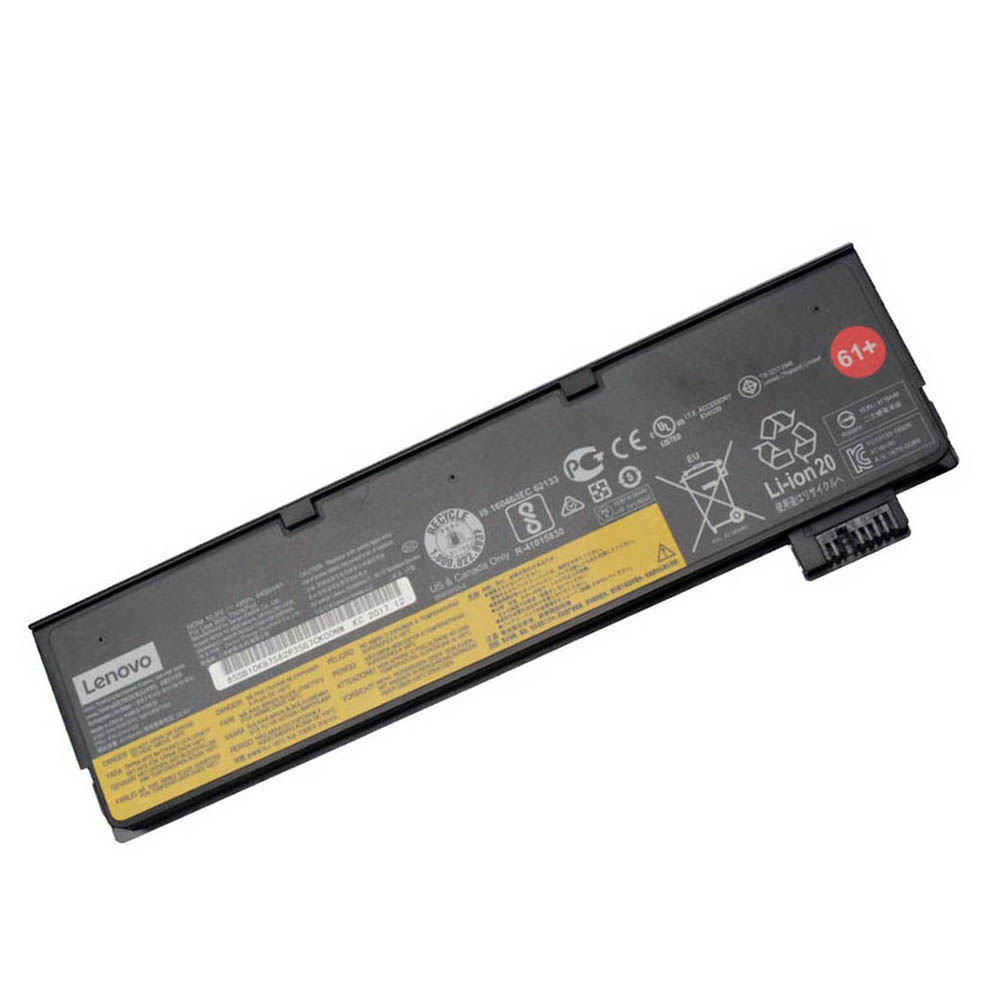
The 72Wh pack sticks out more at the back and adds weight, but if you need true all-day battery life,
this is the strongest upgrade you can make without changing laptops.
4. How much extra runtime can you expect?
Real-world runtime depends on your CPU, screen brightness and workload,
but the total watt-hours (Wh) give a good baseline. Here is a practical guide for healthy batteries:
| Battery setup | Total capacity | Light use* (web, docs) | Mixed use* (office + calls) |
|---|---|---|---|
| 24Wh internal + 24Wh external | ≈ 48Wh | ~4–6 hours | ~3–4.5 hours |
| 24Wh internal + 48Wh external | ≈ 72Wh | ~7–10 hours | ~5–7 hours |
| 24Wh internal + 72Wh external | ≈ 96Wh | ~10–14 hours | ~7–9 hours |
*Approximate real-world figures with healthy batteries at moderate brightness. Heavy workloads (VMs, compiling, video editing) will reduce runtime.
If your current worn batteries only give you 1–2 hours, moving to a fresh 48Wh or 72Wh external pack
can feel like getting a completely new laptop in terms of battery life.
5. Do I need to upgrade the internal battery as well?
You don’t have to upgrade the internal battery to gain runtime – the biggest jump comes from upgrading the external pack.
However, replacing the internal battery is a good idea if:
- Your T480 is several years old.
- Lenovo Vantage or the Windows battery report shows low health for Battery 1.
- The laptop powers off quickly if you remove the external battery.
In that case, install a fresh internal pack:
-
Internal 24Wh replacement:
24Wh Lenovo 01AV421 internal battery
Then choose the external size (24Wh / 48Wh / 72Wh) that best matches your mobility needs.
6. Which upgrade path is best for you?
“I want more runtime, but keep it portable.”
- Keep or refresh the 24Wh internal 01AV421.
- Upgrade the external battery to the 48Wh 01AV427 / 61+.
This gives you about 72Wh total capacity, which is a big improvement for most office users
without making the T480 too heavy or thick.
“I need all-day battery life away from power.”
- Install a fresh 24Wh internal 01AV421 if your current one is worn.
- Upgrade to the 72Wh extended “61” external battery.
With roughly 96Wh total capacity, this configuration is ideal for travel, field work,
train journeys and conferences where power sockets are not guaranteed.
“I mainly work plugged in, but still want some flexibility.”
- Keep the internal battery (replace only if health is very low).
- Choose a 24Wh or 48Wh external depending on how often you move away from your desk.
7. How to physically upgrade the T480 battery
Replacing the external battery (very easy)
- Shut down the laptop or put it into sleep/hibernate (for safety).
- Turn the T480 over and slide the two battery latches to release the rear pack.
- Lift out the old external battery.
- Slide in the new 24Wh / 48Wh / 72Wh battery until the latches click.
- Boot into Windows and confirm both batteries are recognised.
Replacing the internal battery (more advanced)
- Shut down the laptop and unplug the AC adapter.
- Remove the external battery.
- Unscrew and carefully remove the bottom cover.
- Disconnect and unscrew the old 01AV421 internal battery.
- Install the new pack, reconnect the cable and re-attach the bottom cover.
- Reinstall the external battery and power on.
If you’re not comfortable opening the laptop, it’s a good idea to have a technician or repair shop handle the internal battery replacement.
8. Conclusion – Can you upgrade your T480 battery for longer runtime?
Yes, you can – and it’s one of the best upgrades you can make on a T480.
- The T480 always has a 24Wh internal battery plus an external 24Wh / 48Wh / 72Wh pack.
- Upgrading the external battery to 48Wh or 72Wh can more than double your real-world runtime.
- Refreshing the internal battery at the same time gives you a “like-new” power system.
Instead of buying a whole new laptop, upgrading the batteries is a cost-effective way
to keep using a proven, reliable ThinkPad with the battery life you actually need.