A failing keyboard can make a perfectly good laptop feel unusable. The good news is that in many cases,
keyboard replacement is absolutely worth it—especially when the laptop is otherwise fast and reliable.
But there are also situations where keyboard repair isn’t cost-effective (or the root cause isn’t the keyboard at all).
This guide explains when keyboard replacement makes sense, how to tell a true keyboard failure from a software issue,
what to check before you order, and how to buy the correct replacement keyboard confidently.
Replacing a laptop keyboard is usually worth it if your laptop is otherwise in good shape, and the problem is clearly mechanical (stuck keys, broken hinges, missing keycaps)
or consistent input failure (certain keys never work). It’s less worth it if the laptop is already near end-of-life, has major motherboard/liquid damage,
or if the “keyboard issue” is actually caused by software/driver settings.
- Why keyboard replacement is often the best value repair
- Keyboard failure symptoms (what replacement fixes)
- When it’s NOT the keyboard (software/setting clues)
- Cost vs value: replace keyboard or replace laptop?
- Compatibility checklist (how to choose the right keyboard)
- Installation difficulty: what to expect
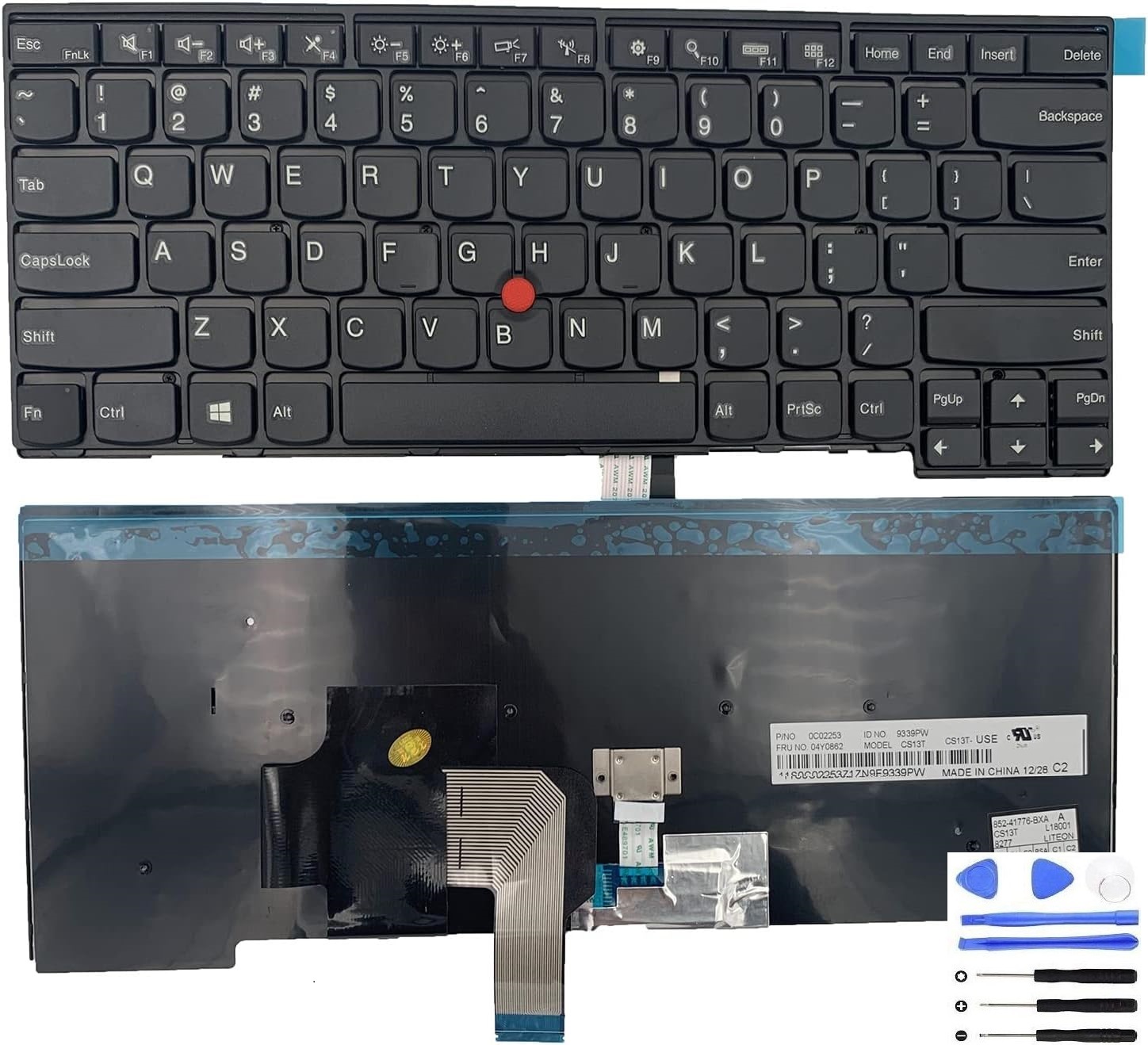
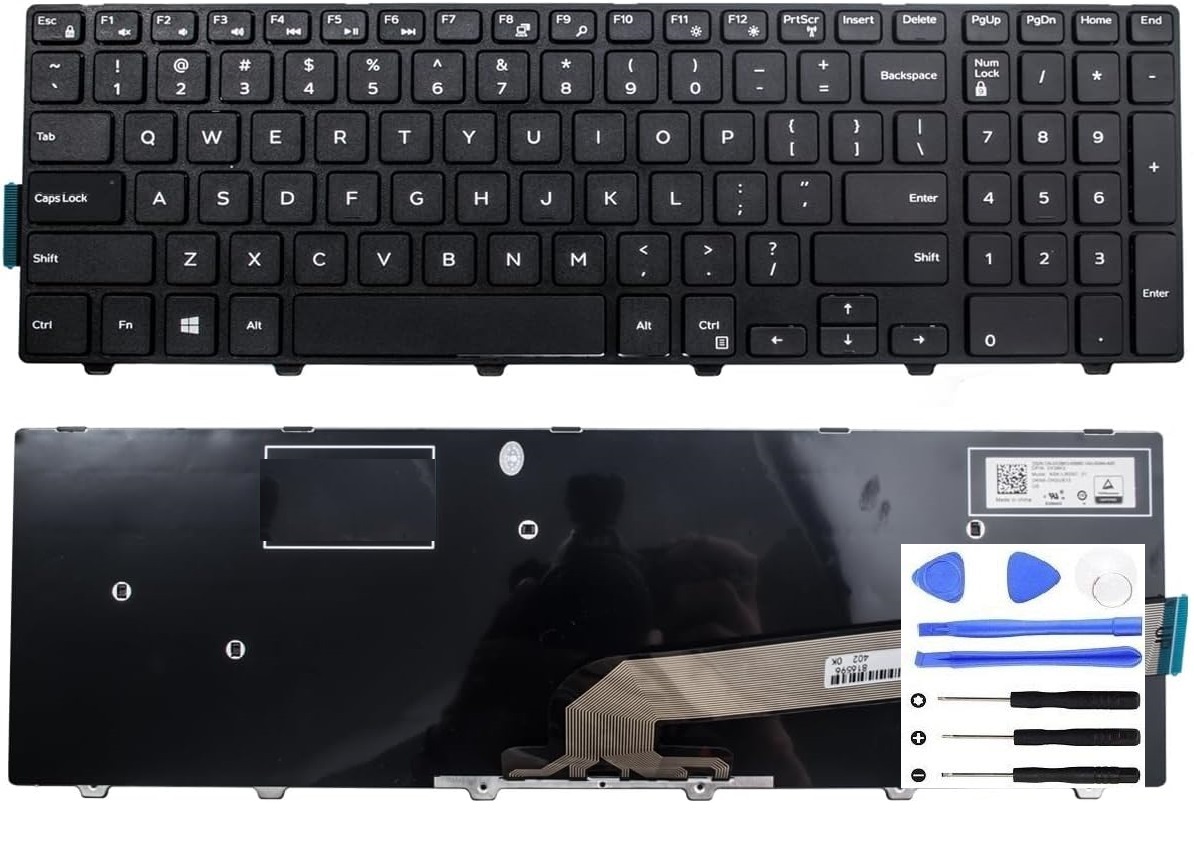
- Recommended replacement keyboard (clickable images)
- FAQ
Why keyboard replacement is often the best value repair
A keyboard is a “high-impact” component: when it fails, you lose the most basic way to use the laptop.
But compared to the cost of a new laptop, keyboard replacement is often a low-cost way to restore full usability.
- Restores daily usability immediately (typing, shortcuts, login, productivity work)
- Extends the laptop’s life without replacing the whole machine
- Avoids hidden costs of buying new (data migration, software setup, accessories)
If your laptop still performs well (boots fast, runs apps smoothly, no serious overheating),
a keyboard replacement is usually a smarter value than replacing the entire laptop.
Keyboard failure symptoms (what replacement fixes)
These symptoms strongly suggest a hardware keyboard issue that replacement can fix:
| Symptom | What it usually means |
|---|---|
| Keys physically stuck or jammed | Mechanical failure, debris, or damaged scissor mechanism. |
| Missing/broken keycaps | Keycap hinges or mounts are broken; replacement restores a consistent feel. |
| Some keys never register | Failed keyboard matrix paths or damaged ribbon/connector. |
| Random double-typing / repeated characters | Key switch failure or internal wear; can worsen over time. |
| Keyboard works in BIOS but not in Windows | Often software/driver related (see next section), not necessarily hardware. |
| Backlight failure (on backlit keyboards) | Backlight circuit issue or keyboard assembly wear; replacement may restore backlight if supported by the laptop. |
If the keyboard stopped working after a spill or heavy moisture exposure, the keyboard may be damaged—but there can also be damage to the motherboard/connector area.
In that case, replacement can still help, but you should be prepared that more than one component may be affected.
When it’s NOT the keyboard (software/setting clues)
Before you buy a replacement, it’s worth ruling out the most common “false keyboard failures”:
- Filter Keys / accessibility settings causing delayed or ignored keystrokes
- Driver or firmware glitches after an update
- Language/layout mismatch (keys “work,” but output is wrong characters)
- External device interference (USB keyboard/receiver conflicts)
If the built-in keyboard works in BIOS/UEFI menus but fails only in Windows, it’s often software or settings.
If it fails everywhere (BIOS + Windows), it’s more likely hardware.
Cost vs value: replace keyboard or replace laptop?
The best decision depends on overall laptop condition.
- The laptop is still fast enough for your work
- Screen, hinge, and charging are stable
- The issue is isolated to the keyboard (or key area)
- You want to avoid the time cost of moving to a new laptop
- You also have major issues (screen cracks, hinge damage, overheating, SSD errors)
- The laptop has clear liquid damage in multiple areas
- The keyboard is integrated in a top case that makes repair unusually expensive (varies by model)
- The laptop is already far below your performance needs
Compatibility checklist (how to choose the right replacement keyboard)
Laptop keyboards are not “one size fits all.” To avoid ordering the wrong one, confirm these details:
| What to match | How to confirm |
|---|---|
| Exact laptop model (full model code) | Use the bottom label or system information. Similar names can have different keyboard layouts and connectors. |
| Keyboard layout | US/UK/DE/FR and other layouts have different key shapes (Enter key, extra characters). Match your region layout. |
| Backlight support | If your original keyboard is backlit, choose a backlit replacement. Non-backlit may physically fit but lose the feature. |
| Connector/ribbon type | Some laptops use different ribbon widths or pin counts even within the same series. |
| Top-case vs keyboard-only | Some models require replacing the whole top case (keyboard is riveted). Others allow keyboard-only replacement. |
Before ordering, compare your original keyboard’s appearance and layout (especially Enter key shape and special keys),
and confirm whether it is backlit.
Installation difficulty: what to expect
Keyboard replacement difficulty depends heavily on the laptop design:
- Easy: keyboard accessible with a few screws, simple ribbon connector.
- Medium: bottom cover removal + internal disassembly to reach the keyboard connector.
- Hard: keyboard riveted to the top case (common on some thin laptops), requiring more labor and parts.
If you’re not comfortable with internal disassembly, a repair shop can install the correct keyboard quickly once you provide the right part.
Recommended replacement keyboard (clickable images)
If you already confirmed your laptop model and keyboard layout, you can view our replacement keyboard product page here:
Replacement Laptop Keyboard
.

FAQ
Can I just use an external keyboard instead?
You can, but it’s usually a temporary workaround. If you travel, present, study, or work in multiple locations,
a failing built-in keyboard reduces portability. Replacement restores the laptop’s original usability.
What if only a few keys don’t work?
If the issue is consistent on the same keys, it’s often a keyboard matrix or wear problem and may spread over time.
Replacement is typically more reliable than trying to “work around” missing keys.
How do I avoid ordering the wrong keyboard?
Match your exact laptop model number, confirm keyboard layout (US/UK/DE/FR, etc.), confirm backlight support,
and compare connector/ribbon style when possible.
Fixing-Tools products are compatible replacement parts and are not affiliated with or endorsed by any brand manufacturer.