Modern gaming and creator laptops draw serious power—especially under GPU load. If your Acer Nitro or Predator Helios runs at
reduced performance, shows “plugged in, not charging,” or the adapter gets extremely hot, the charger may be under-rated or failing.
This article is a technical buyer’s guide to our
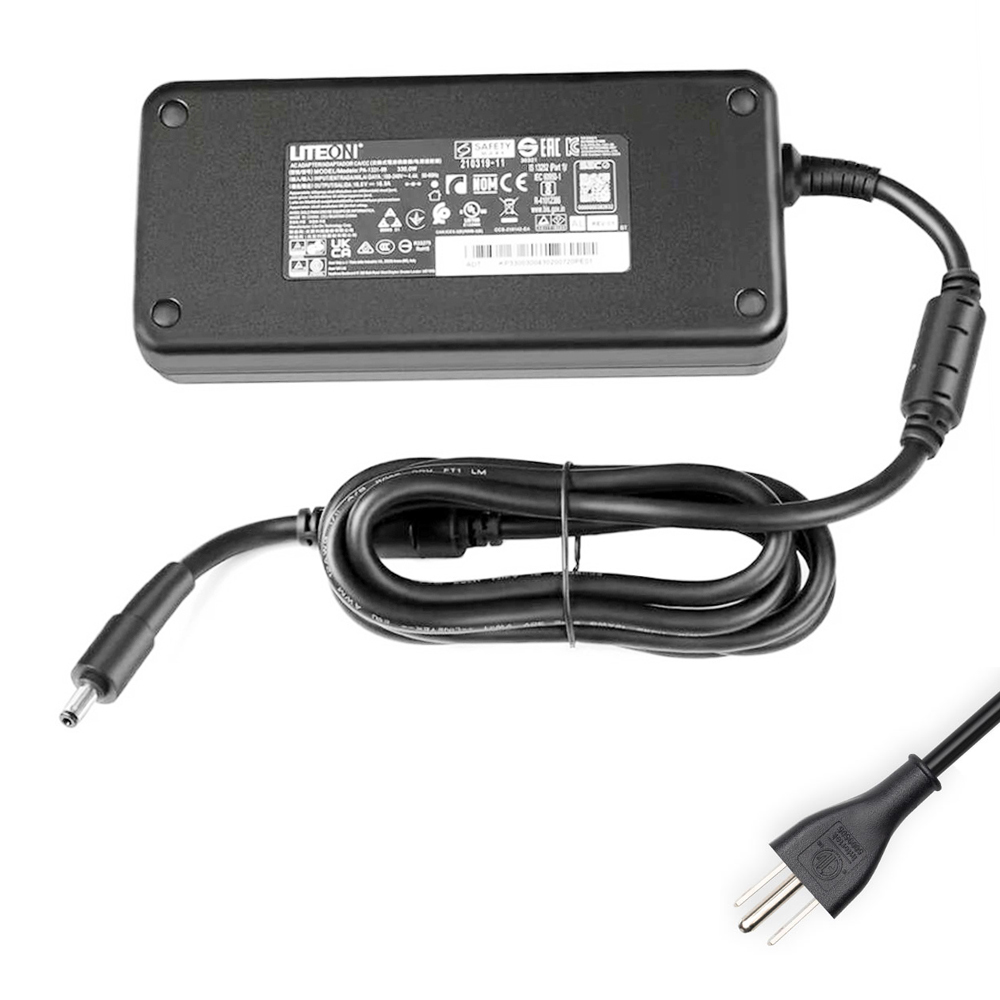
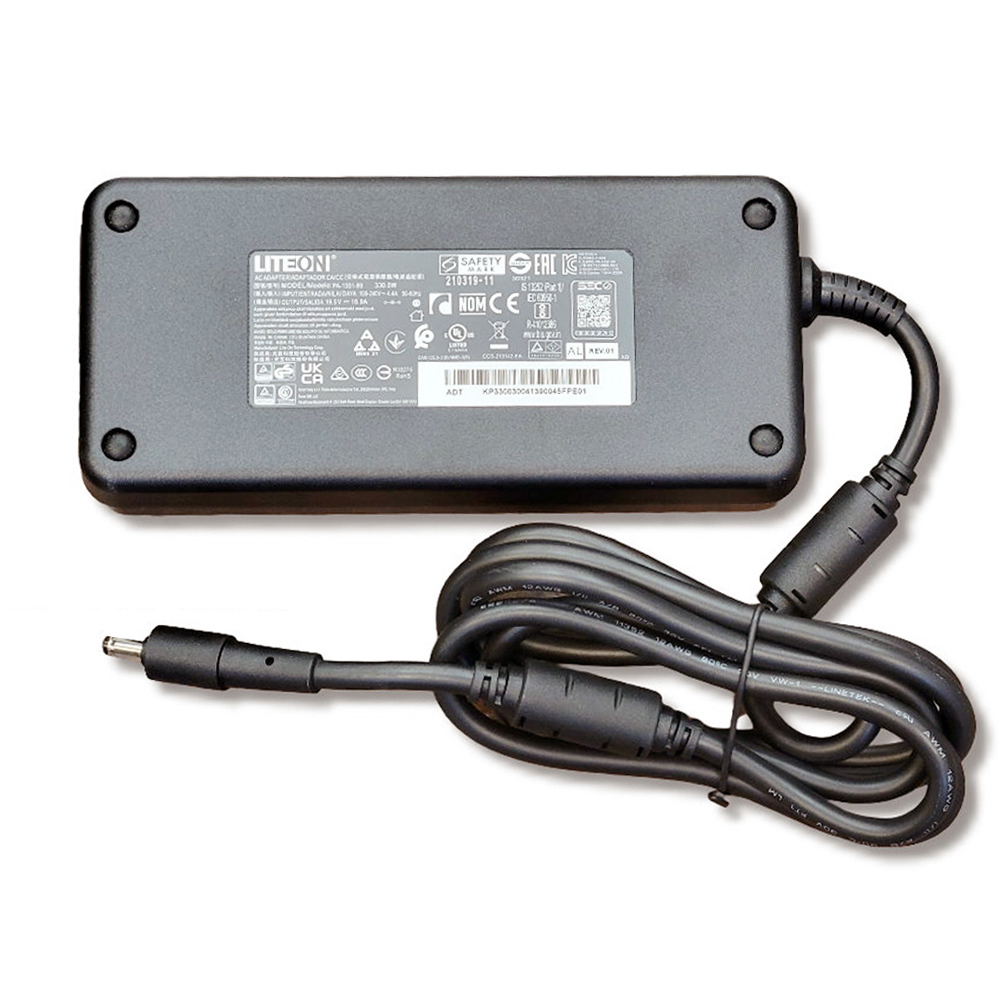
19.5V 16.9A (330W) Acer AC adapter with 5.5mm x 1.7mm connector, including how to verify compatibility,
how to avoid wrong connector/under-wattage mistakes, and what symptoms this adapter solves.
- Output: 19.5V ⎯ 16.9A ⎯ 330W
- Connector: 5.5mm x 1.7mm (round barrel)
- Input: 100–240V ~ 50/60Hz (worldwide)
- Package: 1× Acer charger + 1× power cord (fit your country)
- Warranty: 12 months + 30-day return
1) Why 330W matters: performance, stability, and charging behavior
High-performance Acer laptops can momentarily demand more power than you expect—especially when the CPU and GPU boost together.
If the adapter wattage is too low, the laptop may:
- Throttle performance (lower FPS, lower GPU clocks, sudden dips under load)
- Stop charging while gaming (battery percentage slowly drops even when plugged in)
- Show intermittent charging (connect/disconnect behavior, flickering charge indicator)
- Overheat the charger (excess heat from running near or beyond its safe limit)
A correctly rated 330W adapter provides the headroom these systems require, keeping the voltage stable under load
and allowing the laptop to deliver full performance while charging normally.
2) Technical specifications (and what they mean)
| Item Condition | Brand New |
|---|---|
| Input | 100 ~ 240V, 50 ~ 60Hz (global mains support) |
| Output Voltage | 19.5V |
| Output Current | 16.9A |
| Max Output Power | 330W |
| Connector Size | 5.5mm x 1.7mm |
| Color | Black |
| Package Includes | 1× Acer charger + 1× power cord (fit your country) |
| Warranty | 12 months / 30-day return |
Your laptop must match voltage (19.5V) and connector size (5.5mm x 1.7mm).
Current (A) can be equal or higher than the original adapter rating—your laptop only draws what it needs.
3) How to confirm this charger fits your laptop (the safe checklist)
- Look at the “OUTPUT” line on your old charger.
- Confirm it says 19.5V.
- Confirm wattage is in the high-power range (often 230W/280W/300W/330W on gaming models).
- Compare the connector type (round barrel) and confirm the size.
- This product uses 5.5mm outer / 1.7mm inner.
- Do not guess—Acer also uses other similar connectors that look close but won’t fit.
- If your plug feels loose, does not fully insert, or sparks when wiggled: stop and re-check size.
and the wrong one may either not fit or cause unstable charging.
4) Compatible part numbers (not all)
If your old adapter label lists any of the following part numbers, this charger is a strong match candidate:
- Acer A330A012P
- Acer ADP-330CB B
- Acer ADP-330GB DB
- Acer KP.33001.003
- Acer KP.33001.005
- Acer KP.33003.002
- Acer KP.33003.004
- Acer KP.3300H.001
- Acer KP.3300H.002
- Acer KP.3300H.003
- Acer KP.3300H.F01
- Acer PA-1331-91A5 (and related variants)
5) Compatible laptop series (partial list)
This 330W Acer adapter is commonly used with high-power gaming systems such as:
- Acer Nitro 16 (AN16-41 / AN16-42)
- Acer Nitro 17 (AN17-41 / AN17-42 / AN17-51 / AN17-52)
- Acer Nitro 5 (AN515-58)
- Acer Nitro 5 (AN517-55)
- Acer Predator Helios 16 (PH16-71 / PH16-72)
- Acer Predator Helios 18 (PH18-71 / PH18-72)
- Acer Predator Helios 300 (PH315-55 / PH317-55 / PH317-56)
- Acer Predator Helios 3D 15 (PH3D15-71)
- Acer Predator Helios 500 (PH517-52)
- Acer Predator Helios 700 (PH717-72)
- Acer Predator Helios Neo 16 (PHN16-71 / PHN16-72)
- Acer Predator Helios Neo 18 (PHN18-71)
- Acer Predator Triton 17 X (PTX17-71)
- Gigabyte AORUS 17X AXF
- Gigabyte AORUS 17X AZF Series (and related variants)
output voltage + connector size + your original adapter part number.
6) Troubleshooting: charger vs battery vs DC jack
If you’re not sure whether you need a new adapter, here are quick technical indicators:
- Adapter issue likely: charging cuts in/out when the cable is moved; adapter gets unusually hot; laptop throttles under load.
- Battery issue likely: laptop powers off instantly when unplugged even at high percentage; battery health is very low.
- DC jack/port issue likely: plug feels loose; charging only works at a certain angle; visible damage in the port.
Use the correct wattage adapter recommended for your configuration. Under-wattage adapters may appear to “work” at idle,
but fail under GPU load.
7) Order the correct Acer 330W charger
If your original adapter label matches 19.5V output and your connector is 5.5mm x 1.7mm,
this 330W charger is designed to provide stable power for demanding Acer gaming laptops.
are not affiliated with or endorsed by Acer, Inc. or Gigabyte Technology.