“Battery life” can mean two things: runtime per charge (hours you can use the laptop today) and overall lifespan (months/years before replacement). For the HP HT03XL (L11119-855)—a 3-cell ~41.04Wh pack in the 11.4–11.55V group—here’s what to expect and how to maximise both.
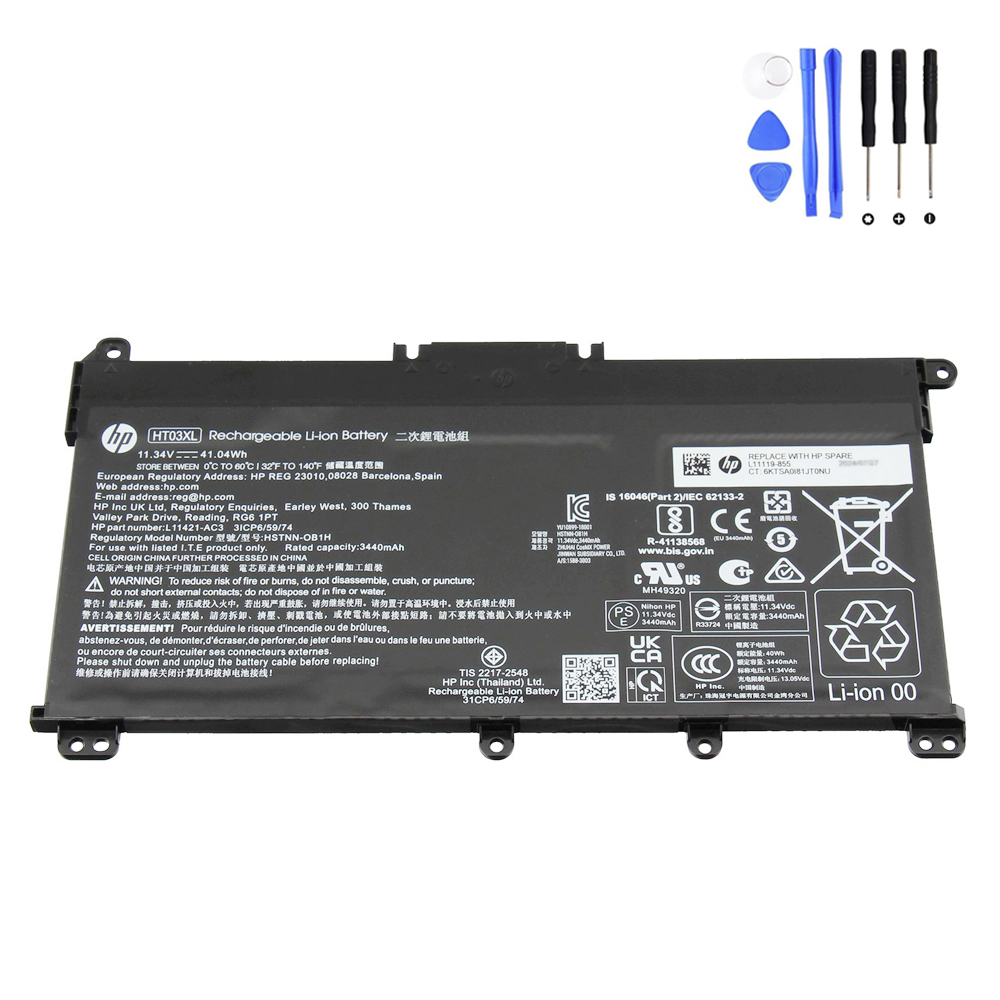
Quick answer
- Runtime per charge: typically 3–8 hours depending on workload and settings (light web/editing vs. heavy apps).
- Overall lifespan: commonly 2–4 years of everyday use before capacity loss becomes noticeable enough to warrant replacement (varies by heat/usage patterns).
How many hours per charge?
The HT03XL stores about 41Wh. Runtime ≈ Battery Wh ÷ Average system power (W). Real-world examples:
| Use case (typical draw) | Approx. power | Estimated runtime |
|---|---|---|
| Light work (Wi-Fi on, web, Docs, 40–60% brightness) | ~5–8 W | 5.0–8.2 hours |
| Mixed office (browser + Office + calls) | ~8–12 W | 3.4–5.1 hours |
| Heavy loads (compiles, many tabs, high brightness) | ~12–15 W | 2.7–3.4 hours |
| Video streaming (1080p, Wi-Fi, 60% brightness) | ~7–9 W | 4.6–5.9 hours |
Tip: Lower screen brightness, disable background apps, and set a balanced/battery saver profile to add 30–90 minutes easily.
How long until you need a replacement?
- Cycle life: many laptop packs reach ~80% of original capacity after a few hundred full cycles. With moderate use, this is often 2–4 years.
- Calendar aging: time and heat also reduce capacity—even without many cycles. High temperatures accelerate wear.
- Signs it’s time: runtime shrinks below your needs, sudden % drops, unexpected shutdowns, or any swelling (replace immediately).
How to check current health
- Open an elevated Command Prompt and run:
powercfg /batteryreport /output "%USERPROFILE%\Desktop\battery-report.html"
- Open the report and compare Full Charge Capacity to Design Capacity. Health % ≈
FCC ÷ Design × 100%.
Rule of thumb: <70–75% health usually means noticeably shorter runtime—plan a replacement.
Ways to make HT03XL last longer
- Keep it cool: avoid blocking vents; clean dust; don’t leave in a hot car.
- Moderate charging: daily operation in the 20–80% range is gentler than 0–100% swings.
- Occasional calibration: if the gauge is inaccurate, do one cycle: 100% → 10–20% → back to 100%.
- Storage: if unused for weeks, store around 40–60% in a cool, dry place.
FAQ
Does leaving it plugged in hurt the battery?
Constant heat is the real issue. Plugged in at cool temps is usually fine; avoid high chassis temps and consider balanced power profiles.
Why did my runtime drop suddenly?
Background tasks, a Windows update indexing, or a failing cell can increase draw or reduce capacity. Check Task Manager and run the Battery Report.
Is HT03XL lithium-ion?
Yes—3-cell Li-ion (often pouch “Li-polymer” form). Still lithium-ion chemistry with BMS protections.
Need a replacement?
If your health report is low or diagnostics say “Replace,” here’s a direct option:
Bottom line: Expect ~3–8 hours per charge depending on workload, and ~2–4 years before capacity loss becomes limiting. Good thermal habits and sensible charging keep your HT03XL performing longer.