Yes. The HP HT03XL (often marked L11119-855) is a lithium-ion rechargeable laptop battery. In HP’s mainstream 14″/15″/17″ platforms it’s typically a 3-cell (3S) pack with a nominal energy around 41.04 Wh and a nominal voltage of 11.4–11.55 V. It is not a disposable lithium-metal battery; it’s a rechargeable Li-ion pack with an onboard battery-management system (BMS) for safety.
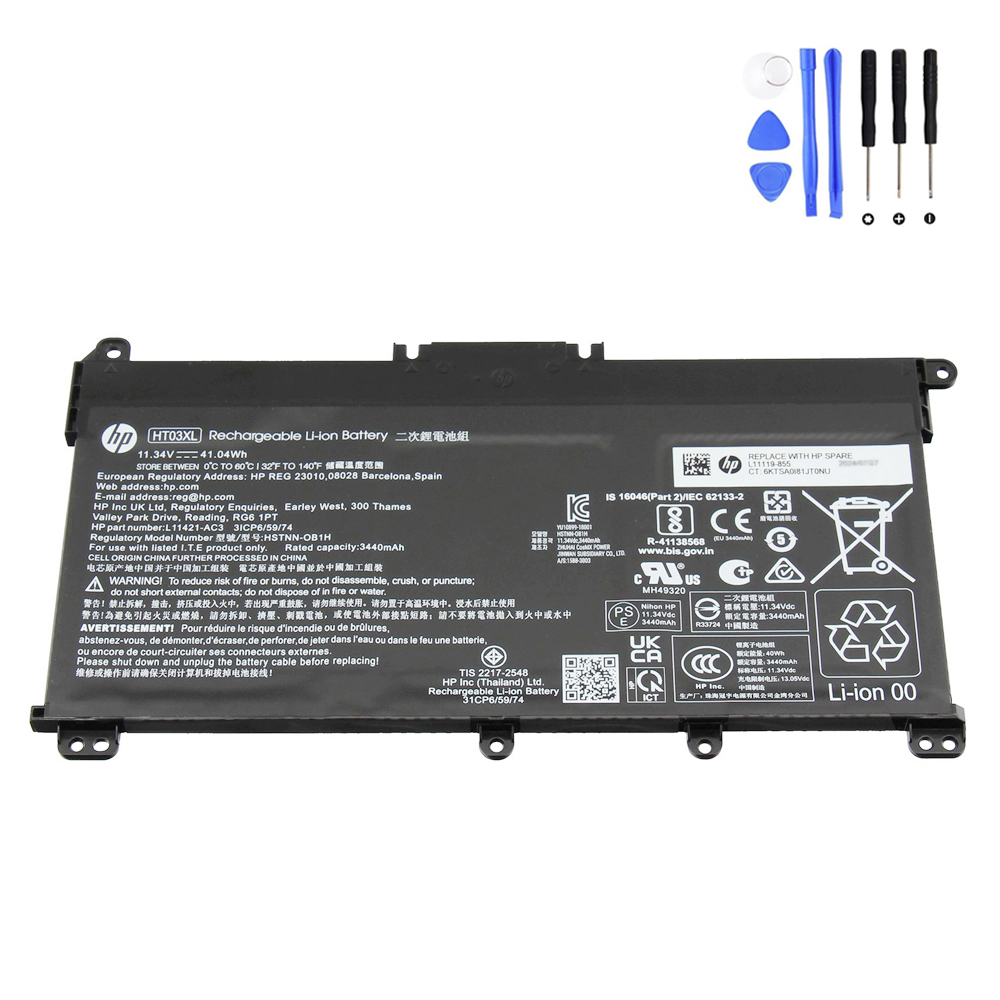
HT03XL at a glance
- Chemistry: Lithium-ion (Li-ion). Some lots use pouch “Li-ion polymer” cells — that’s still Li-ion technology.
- Configuration: 3 cells in series (3S), nominal 3.8 V per cell → ~11.4–11.55 V pack.
- Energy: ~41.04 Wh (varies slightly by vendor/lot).
- Protections (via BMS): over-charge, over-discharge, over-current/short-circuit, temperature monitoring.
- Common P/N: L11119-855 (others exist by region/production batch).
Li-ion vs. Li-polymer — what’s the difference?
Both are lithium-ion chemistries. “Li-polymer” usually means the cells are in a soft pouch with a polymer separator/electrolyte formulation, but they follow the same Li-ion recharge principles and safety rules. Whether a given HT03XL lot uses cylindrical or pouch cells, it’s still a Li-ion laptop battery.
Shipping & regulations (practical overview)
- UN testing: Li-ion packs must pass UN38.3 transport tests; reputable sellers can supply the test summary.
- Air cargo classification: Typically shipped as lithium-ion batteries UN3480/UN3481 (depending on whether the battery is shipped alone or with/inside equipment).
- Wh rating: ~41 Wh is under the common 100 Wh threshold, but marking, packaging, and quantity limits still apply.
Safety & care tips for Li-ion laptop batteries
- Avoid heat: High temperatures accelerate aging. Keep vents clear; don’t cover the laptop while charging.
- Don’t puncture or crush: If the pack is damaged or swollen, power off and replace immediately.
- Reasonable cycling: For longevity, daily use around ~20–80% works well; run a full calibration only occasionally.
- Correct replacement: Match voltage group and connector; stick to the HT03XL/L11119-855 family for drop-in compatibility.
- Recycle properly: Use e-waste or WEEE collection points — never bin Li-ion batteries with household trash.
How to confirm your battery is HT03XL
- Power off and remove the bottom cover (if your model allows).
- Check the label: look for HT03XL and a part number such as L11119-855.
- Verify voltage (~11.4–11.55 V) and capacity (~41 Wh) on the label against your service manual or product page.
When to replace a Li-ion HT03XL
- Battery Report health (Full Charge Capacity ÷ Design Capacity) drops below ~70–75%.
- HP UEFI/Support Assistant reports “Replace” or fails an extensive test.
- Rapid drain, % jumps, unexpected shutdowns, or any swelling/odor/overheat symptoms.
Recommended replacement
If your diagnostics say “Replace” or health is low, here’s a direct option:
Bottom line: The HT03XL is definitely a lithium-ion laptop battery. Treat it with the usual Li-ion care, follow shipping/handling rules, and replace it when diagnostics or battery-health reports indicate it’s time.