You found an ASUS laptop charger online… and then you saw something confusing:
the “same charger” seems to exist in multiple versions—often with different plug tips.
This is normal. ASUS (and many other laptop brands) use charger labels and model naming in a way that can look misleading to everyday users.
The good news: once you know what to check, it becomes easy to pick the correct charger without guessing.
Why one ASUS charger “model” can have different tips
When you see different tips under the “same model,” it usually means the label is describing the charger’s
electrical platform (voltage/wattage), not a single, unique connector.
ASUS may sell several tip versions that share the same power rating.
The most common reasons
- Different ASUS laptop generations use different charging ports—even if they need the same wattage.
- ASUS reuses the same power design (like 20V / 150W) across multiple product lines, but the plug tip changes by model.
- Supply and production differences can create “variants” that are electrically the same but physically different.
- Online listings often combine multiple versions on one page to cover more search terms (this makes it look like one item).
- Certification/family coverage: manufacturers often treat small physical changes (like cable/tip kits) as variants of a series.
What matters most for compatibility (don’t guess)
For your laptop to charge safely and reliably, you need to match three things:
| What to match | Why it matters | Where to find it |
|---|---|---|
| Voltage (V) | Must match exactly. Wrong voltage can cause charging failure or damage. | On your old adapter label (OUTPUT line) |
| Wattage (W) | Too low can cause slow charging or battery drain while plugged in. | Adapter label (or calculate W = V × A) |
| Connector tip size/type | The #1 reason “same model” still doesn’t fit. | Measure the tip or compare photos (e.g., 5.5×2.5 vs 4.5×3.0) |
Don’t force it—choose the exact connector version your laptop uses.
The 2-minute check: identify your correct ASUS charger
Step 1: Read the OUTPUT on your old charger
- Look for something like: OUTPUT: 20V ⎓ 7.5A
- This tells you the charger’s voltage and maximum current.
- Wattage = V × A (Example: 20V × 7.5A = 150W)
Step 2: Confirm the plug tip size
ASUS commonly uses different round tips for similar power levels. Two of the most commonly confused sizes are:
- 5.5mm × 2.5mm round tip
- 4.5mm × 3.0mm round tip
They can look similar in listings, but they are not interchangeable.
If you don’t know the exact size, compare your old tip to clear product photos or measure with a ruler/caliper.
Step 3: Use your laptop model as a confirmation (optional but helpful)
If you know your exact ASUS laptop model (from the bottom label or Windows “System Information”),
use it as a cross-check—especially if your old charger is missing or unreadable.
Just remember: family names like “TUF” or “ROG” contain many sub-models, so the exact model code matters.
Browse ASUS replacement chargers (and pick the correct connector)
If you want to browse compatible options, start here:
Example: Same power (150W), different connector tips
Both of the chargers below are 20V / 7.5A (150W), but they use different tip sizes.
This is exactly why “the same ASUS charger model” can show multiple versions online.
Always choose the version that matches your laptop’s port and your old adapter tip.
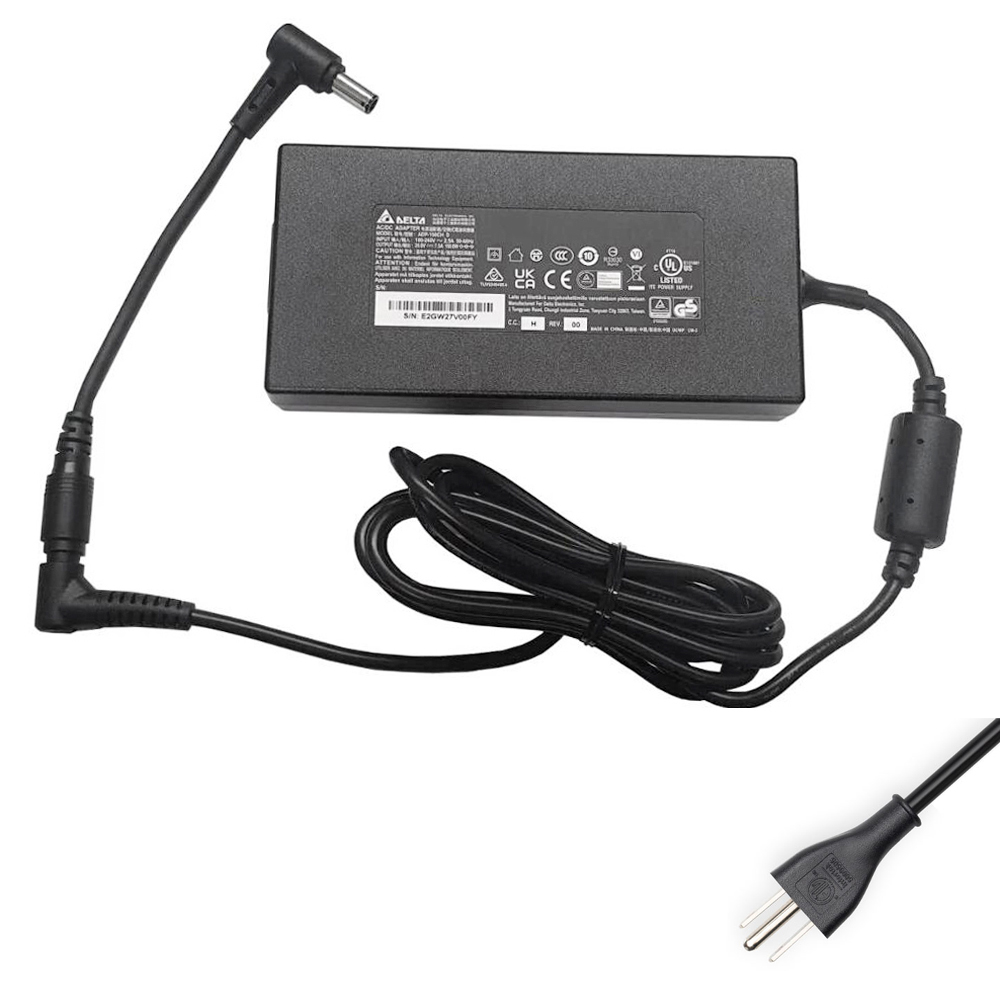
Pick this version if your original adapter uses a 5.5mm × 2.5mm round tip.
Great for ASUS models that require 150W power with the larger round connector.
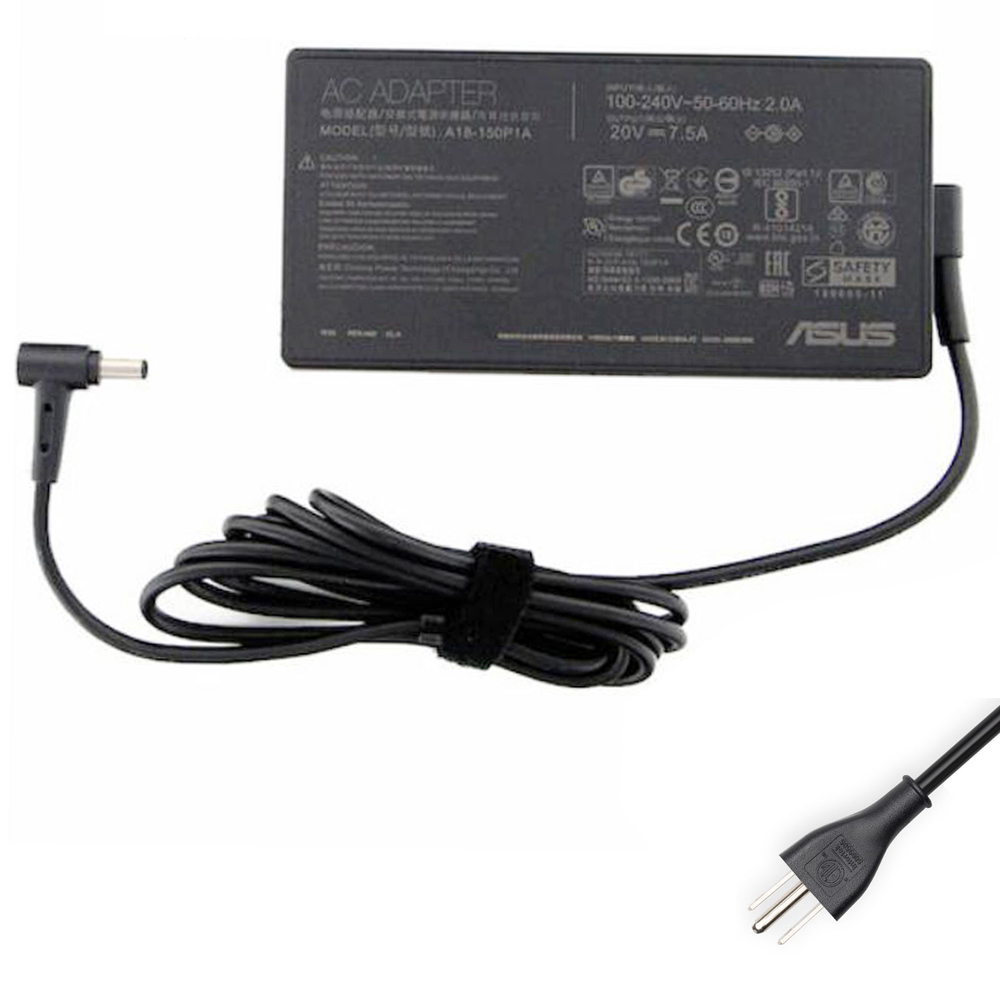
Choose this version if your laptop uses the 4.5mm × 3.0mm round tip.
Same 150W power, different connector—this is a very common source of ordering mistakes.
Common mistakes (and how to avoid them)
Mistake #1: Buying only by wattage
Many ASUS chargers share the same wattage, but the connector can differ.
Wattage alone is not a guarantee of compatibility.
Mistake #2: Searching by a generic “charger model” name
The printed model name can represent a platform or series.
Always confirm the plug tip size and the output voltage.
Mistake #3: Using an underpowered charger
If your ASUS laptop needs 150W and you use a lower-power charger, you may see:
slow charging, reduced performance, or the battery draining even while plugged in during heavy use.
Mistake #4: Forcing a connector that “almost fits”
This can damage the laptop’s charging port and create unreliable charging.
If it doesn’t fit smoothly, it’s not the correct connector.
FAQ
Is it safe to use a higher wattage ASUS charger?
In many cases, yes—if the voltage is correct and the connector matches.
The laptop typically draws only what it needs.
The bigger risk is using a charger with the wrong voltage or a connector that doesn’t match properly.
Why does my laptop charge slowly or drain while plugged in?
This often happens when the charger wattage is too low for your laptop and workload (gaming, rendering, heavy CPU/GPU use),
or when the connector is loose/incorrect. Confirm your laptop’s required wattage and use the correct connector type.
What if I don’t have my old charger?
Use your laptop’s exact model code (from the bottom label or Windows System Information) and confirm the port type.
If the laptop charges via USB-C, you need a USB-C PD charger with sufficient wattage.
For round-tip ports, connector size is still critical.
The reason one “ASUS charger model” can appear in multiple versions is usually simple:
same power rating, different connector tips (plus product revisions and marketplace listings that group variants).