When people search “Dell XPS 15 130W charger connector”, the confusing part is this: there are two different 130W charger tips for XPS 15. Some XPS 15 generations use a 4.5mm x 3.0mm barrel (round) connector, while newer generations charge via USB-C.
This guide helps you quickly answer: Which connector does my XPS 15 130W adapter use—USB-C or barrel? And it shows you how to verify compatibility before you buy.
1) Quick answer: XPS 15 can use USB-C or barrel—depends on the generation
- Barrel (round) tip: Typically 4.5mm x 3.0mm (Dell “small tip” style). Common on many older XPS 15 models.
- USB-C: Common on newer XPS 15 models that charge through USB-C (often with 130W for full performance).
The fastest test: Look at your laptop’s charging port.
- If you see a round DC-in port → you need a 4.5mm x 3.0mm barrel charger.
- If your XPS 15 has no round DC port and charges via USB-C → you need a USB-C charger.
2) Visual reference: the two 130W connector types
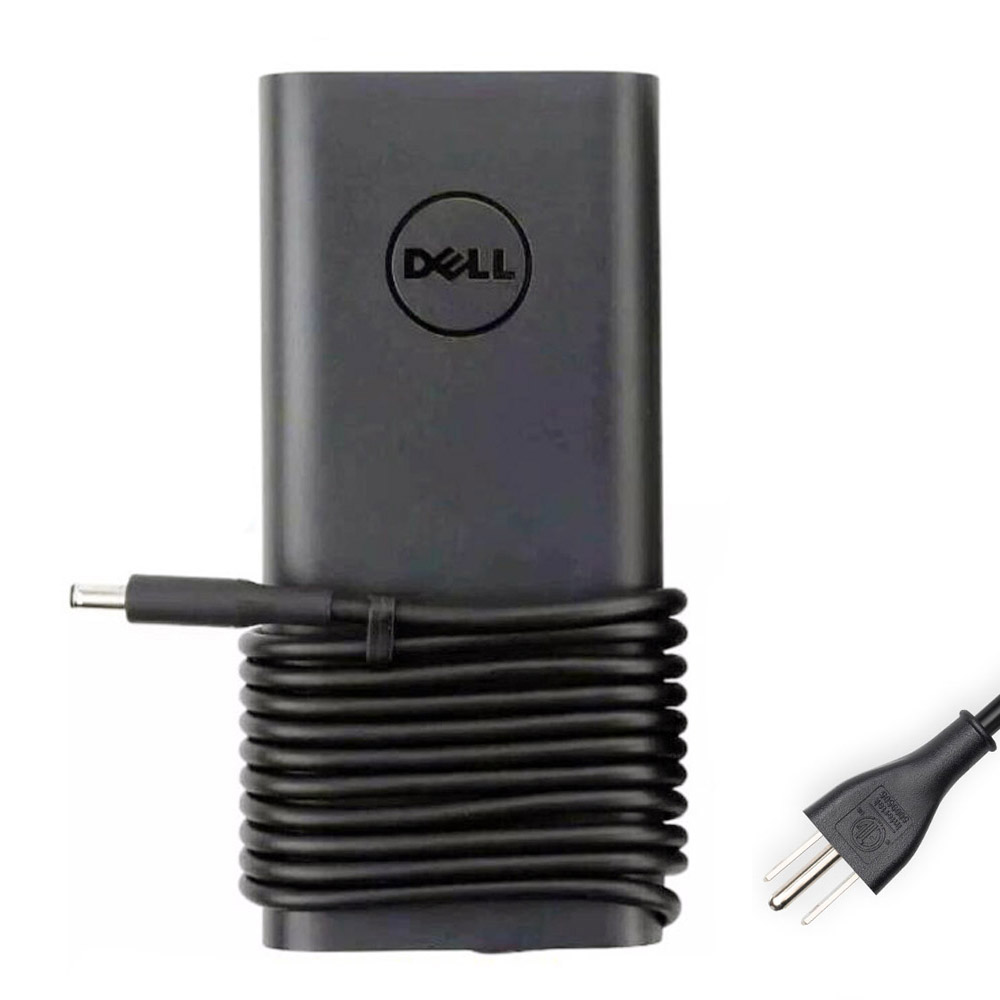
19.5V 6.67A • Round connector • Curved adapter design

20V 6.5A • USB-C connector • For USB-C charging XPS/Precision models
3) How to confirm your XPS 15 connector in 60 seconds
A) Check the physical charging port
- Round DC-in port present: you are in the barrel connector group (commonly 4.5mm x 3.0mm).
- Only USB-C ports for charging: you are in the USB-C group.
B) Confirm your model number (recommended)
On Windows: press Win + R → type msinfo32 → check System Model. You may see something like XPS 15 7590, XPS 15 9500, etc.
Rule of thumb (not a substitute for checking your port):
- Many older XPS 15 models (for example, the “classic” generations) often use 4.5mm x 3.0mm barrel.
- Many newer XPS 15 models (modern chassis generations) commonly charge via USB-C.
4) What does “4.5mm x 3.0mm” actually mean?
For Dell barrel chargers, the connector size is usually written as:
- Outer diameter: 4.5mm
- Inner diameter: 3.0mm
Important Dell detail: many Dell barrel chargers have a center pin used for identification. If that pin is damaged (or the connector/cable quality is poor), the laptop may show warnings like:
- “AC adapter wattage and type cannot be determined”
- “Slow charger”
- Charging but performance throttling
5) USB-C 130W: why some XPS 15 users see “slow charging”
USB-C charging depends on proper power negotiation between your laptop and the charger/cable. To get the best results:
- Use a high-quality USB-C cable designed for high power.
- Try the recommended charging USB-C port on your laptop (some models behave better on a specific port).
- If you see “slow charger”, confirm you are using a 130W-capable USB-C charger and not a lower-wattage adapter.
If you mainly do heavy workloads (gaming, video editing, rendering), 130W is commonly preferred because it helps prevent battery drain during load.
6) Which 130W charger should you choose? (based on your port)
If your XPS 15 has a round DC-in port:
- Choose: 19.5V 6.67A 130W
- Connector: 4.5mm x 3.0mm
If your XPS 15 charges via USB-C:
- Choose: 130W USB-C
- Common spec: 20V 6.5A
7) FAQ
- Can I use a 130W USB-C charger on an XPS 15 that has a barrel port?
Only if your specific XPS 15 supports charging through USB-C. If your laptop is designed to charge via the barrel port, USB-C may not charge it (or may charge at limited power depending on model). - Is 4.5mm x 3.0mm the same as 4.5mm x 2.9mm?
Some listings round the inner diameter differently. Practically, you should match the connector type your original charger uses and confirm the port fit. The Dell “small tip” barrel style is the key. - My laptop says “charger not recognized” even though it fits—why?
Most often: a damaged center pin (barrel type), cable wear near the connector, or low-quality replacement adapter that fails identification. - How can I be 100% sure?
Check the physical port and confirm your model via Service Tag / system model. When in doubt, compare your original charger connector to the pictures above.
Tip: If you want, tell me your exact XPS 15 model number (example: 7590 / 9500 / 9520 / 9530) and whether your laptop has a round DC port. I can help you choose the correct 130W charger instantly.