Thunderbolt uses the USB-C connector, but charging is controlled by USB Power Delivery (USB-PD). So the real question is:
Can your Dell XPS 15 accept charging over USB-C/Thunderbolt, and will it pull the full 130W?
This article explains how Dell’s 130W USB-C charging works, what wattage you can expect with standard USB-PD chargers, and how to tell which charger you actually need.
1) Quick answer
- If your XPS 15 charges via USB-C/Thunderbolt: Yes, it is compatible with USB-C charging. With the correct Dell-compatible 130W USB-C adapter, it can run and charge at up to 130W.
- If your XPS 15 uses a round DC-in (barrel) port: Your main charging method is the barrel adapter. The USB-C/Thunderbolt port on many older designs is for data/video (and may power accessories), but it’s not guaranteed to be a full-power laptop charging input.
2) Visual: two different “130W chargers” for XPS 15

For XPS 15 models that charge via USB-C / Thunderbolt.
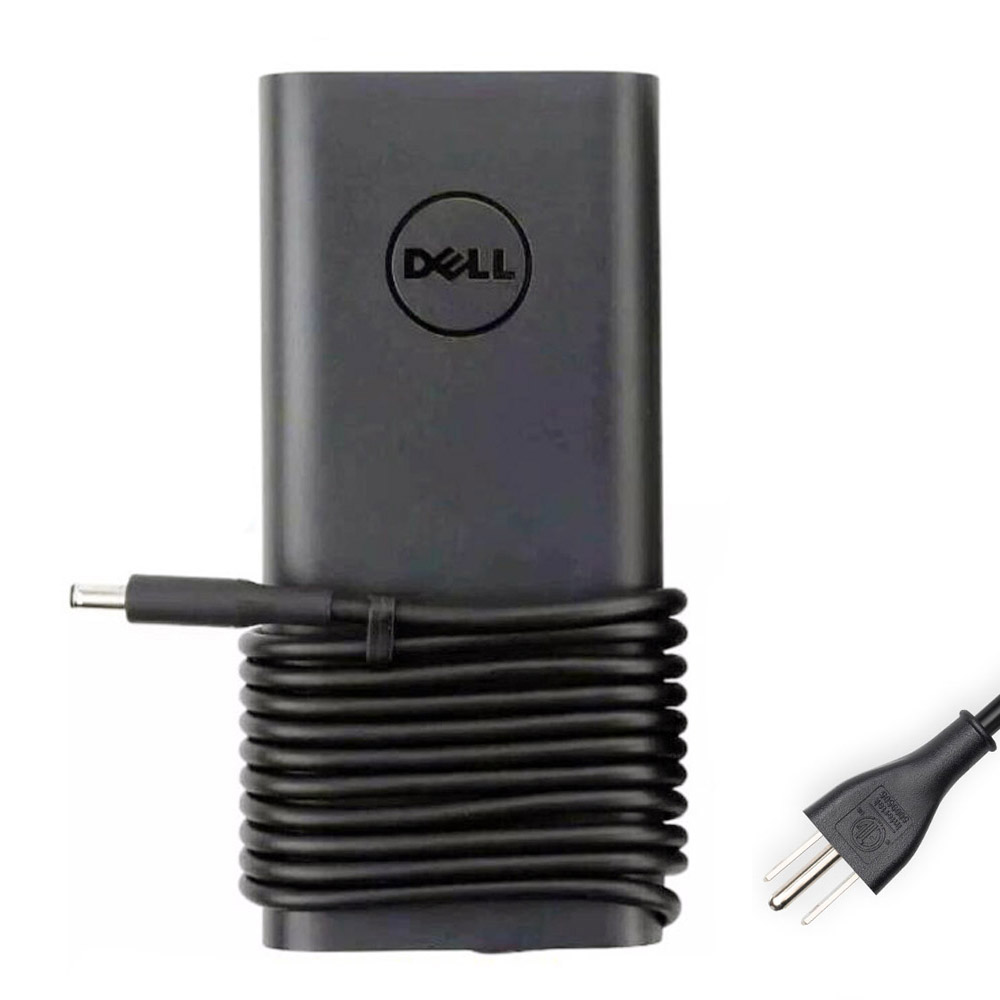
For XPS 15 models with a round DC-in port.
3) USB-PD wattage: why “130W over USB-C” is special on Dell
Standard USB Power Delivery used to top out at 100W (before USB-PD 3.1). That’s why many third-party USB-C chargers are commonly 65W / 90W / 100W.
Dell’s 130W USB-C charging on some XPS/Precision models is widely discussed as a Dell-specific implementation to go beyond the classic 100W limit. In practical terms:
- With a Dell-compatible 130W USB-C adapter: your XPS 15 can draw up to 130W (typical spec: 20V with a higher current level).
- With a normal USB-PD charger: your XPS 15 often draws up to 90W or 100W (depending on your model and charger/cable), and may show “Slow charger” under load.
4) What wattage will my XPS 15 take over USB-C/Thunderbolt?
For USB-C-charging XPS 15 generations, Dell documentation commonly lists two supported USB-C adapter levels (example: 90W USB-C and 130W USB-C).
| Power source | What you’ll typically see on XPS 15 | Real-world result |
|---|---|---|
| Dell-compatible 130W USB-C | Up to 130W | Best for performance + charging under heavy load |
| 90W USB-C PD | Often accepted as 90W on supported models | Usually fine for office/light work; can throttle or drain under heavy load |
| 100W USB-C PD | May behave like 90–100W depending on negotiation | Often OK, but not always “full power” on Dell |
| 65W USB-C PD | Commonly triggers “Slow charger” | Charges slowly; may drain while plugged in during demanding tasks |
5) What about PD 3.1 “140W” USB-C chargers?
USB-PD 3.1 introduced higher power modes (up to 240W), but your laptop must support those higher-voltage profiles to benefit.
If your XPS 15 only negotiates power in the traditional 20V range, a PD 3.1 140W charger may still be treated like a 100W-class supply (or less) because the laptop may not request the PD 3.1 28V profile.
Bottom line: for most XPS 15 owners who need full performance, “130W over USB-C” is most reliable with Dell-compatible 130W USB-C adapters/docks, not generic 140W chargers.
6) Thunderbolt ports: do all Thunderbolt ports charge the laptop?
Not always. A laptop can have Thunderbolt and still primarily charge via a barrel adapter, especially on older designs.
How to be sure: check your ports:
- If your XPS 15 has a round DC-in port: it usually expects a barrel charger.
- If your XPS 15 has no round DC-in port and charges via USB-C: then yes, you can charge through the USB-C/Thunderbolt ports.
7) How to verify the wattage your XPS 15 is actually receiving
- Restart and enter BIOS (commonly F2 on Dell).
- Find AC Adapter information.
- If it shows 130W, you’re getting full power. If it shows 90W / 65W / Unknown, you’re not.
Tip: For USB-C charging, cable quality matters. Use a proper USB-C cable rated for high power, and test by connecting the charger directly to the laptop (no hub/dock) to rule out pass-through limits.
Choose the right 130W charger type
- 130W USB-C (20V 6.5A) — for USB-C/Thunderbolt charging XPS 15
- 130W Barrel (19.5V 6.67A, 4.5mm x 3.0mm) — for DC-in (round) charging XPS 15
If you tell me your exact XPS 15 model (example: 7590 / 9500 / 9520 / 9530), I can tell you the most likely USB-C wattage behavior and the best charger choice.