The HP Envy x360 is popular because it’s thin, fast, and flexible—great for work, school, and travel.
But that slim 2-in-1 design also means battery wear becomes very noticeable over time.
If your Envy x360 no longer lasts long off the charger, shuts down early, or behaves “weird” with percentages,
you might be asking: Is it worth replacing the battery?
For most Envy x360 owners, yes—a battery replacement is usually one of the best value upgrades you can do,
especially if the laptop is otherwise working well (screen, hinges, keyboard, performance).
- 1) Quick answer: when replacement is worth it
- 2) Why Envy x360 batteries “feel worse” when they age
- 3) Common HP Envy x360 battery symptoms
- 4) How to check Envy x360 battery health (Windows + HP tools)
- 5) Envy x360 model notes: 13/15/16 inch, Intel vs AMD, and typical battery packs
- 6) Battery replacement vs laptop upgrade: cost/benefit logic
- 7) How to choose the correct HP Envy x360 battery
- 8) HP replacement options (category + example products)
- 9) After you replace it: testing, calibration, and battery care
- FAQ
1) Quick answer: when replacement is worth it
It’s usually worth replacing the battery in an HP Envy x360 if the laptop is still meeting your performance needs.
A new battery can restore the main reason people buy an Envy x360 in the first place: portable, reliable all-day use.
| Situation | Replace the battery? | Why |
|---|---|---|
| Runtime dropped a lot, but everything else is fine | ✅ Yes | Best value fix; restores portability |
| Battery percentage jumps or shuts down at 20–40% | ✅ Usually yes | Wear or fuel-gauge drift is common as packs age |
| Swelling (bulge, tight trackpad, bottom cover not flush) | ✅ Replace immediately | Safety issue |
| Laptop is slow even on AC, or multiple hardware failures | Maybe | Consider overall upgrade value |
2) Why Envy x360 batteries “feel worse” when they age
Two things make battery wear more noticeable on the Envy x360 than on many thicker laptops:
-
Thin 2-in-1 design + heat: Envy x360 models pack CPU, hinges, and battery into a tight chassis.
Over time, heat cycles can reduce capacity and increase internal resistance, which can lead to faster drops under load. -
Bursty workloads: video calls, browser tabs, and light creative work cause frequent power spikes.
A worn battery may struggle to deliver stable power during spikes, so you may notice jumps or sudden shutdowns sooner.
3) Common HP Envy x360 battery symptoms
- Battery drains quickly (even after reducing brightness).
- Shuts down early despite showing charge remaining.
- Percentage jumps up/down or “stuck” at 99% for a long time.
- “Plugged in, not charging” (sometimes caused by health modes or charger issues).
- Fan noise and heat during charging more than before (often related to background load + aging pack).
- Swollen battery signs: trackpad becomes hard to click, bottom cover bulges, or gaps appear near the chassis.
4) How to check Envy x360 battery health (Windows + HP tools)
4.1 Windows Battery Report
- Open Command Prompt (Admin).
- Run:
powercfg /batteryreport - Open the generated report and compare Design capacity vs Full charge capacity.
4.2 HP diagnostics and BIOS battery checks
- Many HP systems include HP PC Hardware Diagnostics (Windows/UEFI) with a battery test.
- You can also check battery status in BIOS/UEFI on many models, often reported as Good/Fair/Poor.
If your full charge capacity is clearly lower than design capacity and you’re seeing practical symptoms (short runtime, drops, early shutdown),
battery replacement is usually worth it.
5) Envy x360 model notes: 13/15/16 inch, Intel vs AMD, and typical battery packs
“HP Envy x360” covers many generations—13-inch, 15-inch, and 16-inch, with Intel and AMD variants.
Battery compatibility is mainly driven by the exact model series and battery part number, not just the product family name.
-
Envy x360 13-inch: often optimized for portability. Battery wear feels dramatic because you expect all-day use.
Many owners notice the drop most during video calls or travel days. -
Envy x360 15-inch: commonly used as the “main laptop.” If the battery is worn, you’ll notice performance dips when unplugged.
It’s also the size where you’re most likely to keep it plugged in often (which increases time-at-100% wear if not managed). - Intel vs AMD: efficiency varies by generation. Some AMD configurations can be very efficient, but any aging battery can still show percentage instability.
The fastest way to match the correct replacement is to read the part number from the original battery label
(examples below: HT03XL, GD03XL, MB04XL, LK03XL) and then confirm your Envy x360 model compatibility.
6) Battery replacement vs laptop upgrade: cost/benefit logic
A battery replacement is typically worth it when your Envy x360 is still a good laptop for your needs.
Compared to replacing the entire laptop, swapping the battery is usually:
- Cheaper than buying a new 2-in-1
- Faster than migrating data and reinstalling software
- More sustainable (you extend the device life)
Consider upgrading instead if you have multiple expensive issues at once (broken hinges, failing display, charging port damage, or major performance limits).
Otherwise, the battery is often the single biggest “usability unlock.”
7) How to choose the correct HP Envy x360 battery
- Find the battery part number on your existing pack (e.g., HT03XL / GD03XL / MB04XL / LK03XL).
- Confirm the physical shape/connector matches (internal batteries must fit exactly).
- Match voltage/spec class (don’t rely on Wh alone—part number matters more).
- Use your exact Envy x360 model ID (for example: “15m-ee”, “13-ar”, “15-ed”, etc.) when cross-checking compatibility.
Always match by exact model series + battery part number.
8) HP replacement options (category + example products)
Start here to browse compatible options and match by part number and your exact HP model:
Featured examples (match your part number)
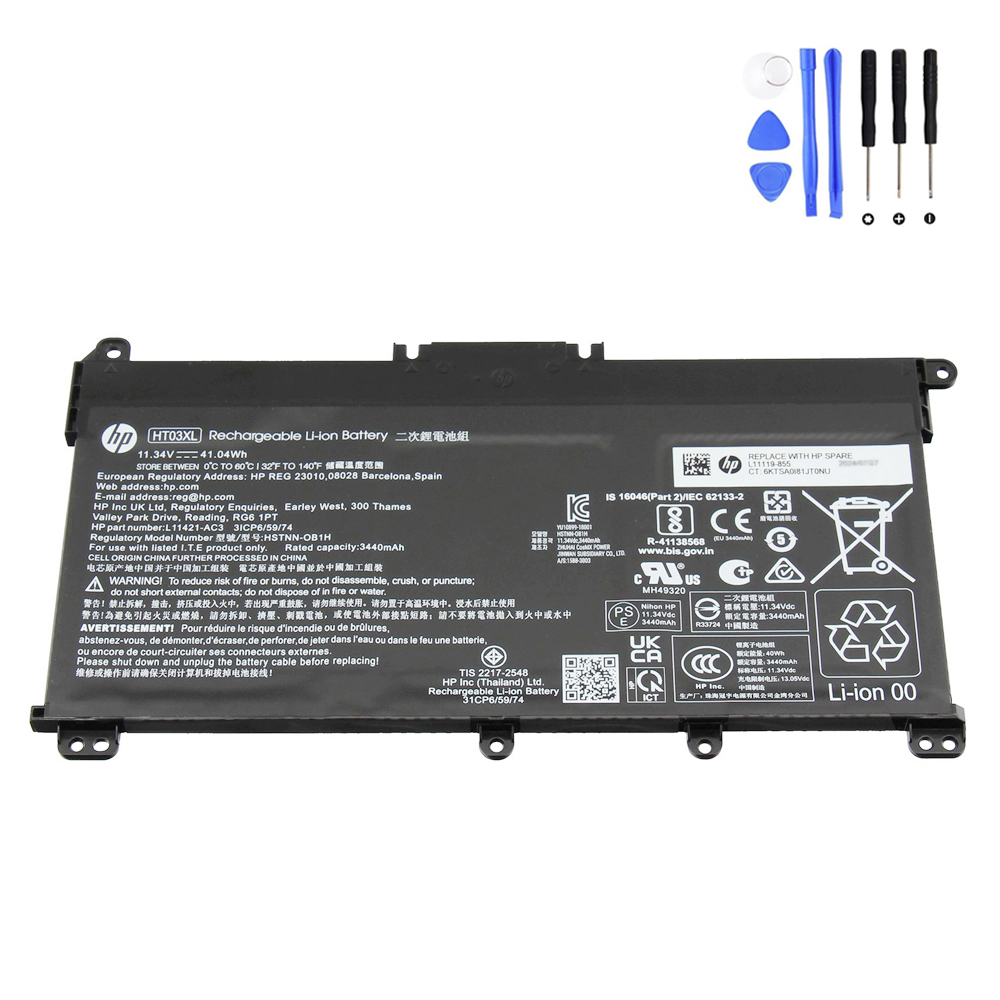
A common pack used across multiple HP notebook lines. If your original battery label shows HT03XL,
this is the correct direction to match for fit and connector compatibility.

If your Envy x360 supports GD03XL, a higher Wh pack can be a great match for longer unplugged sessions
(especially for meetings, travel, and school days).
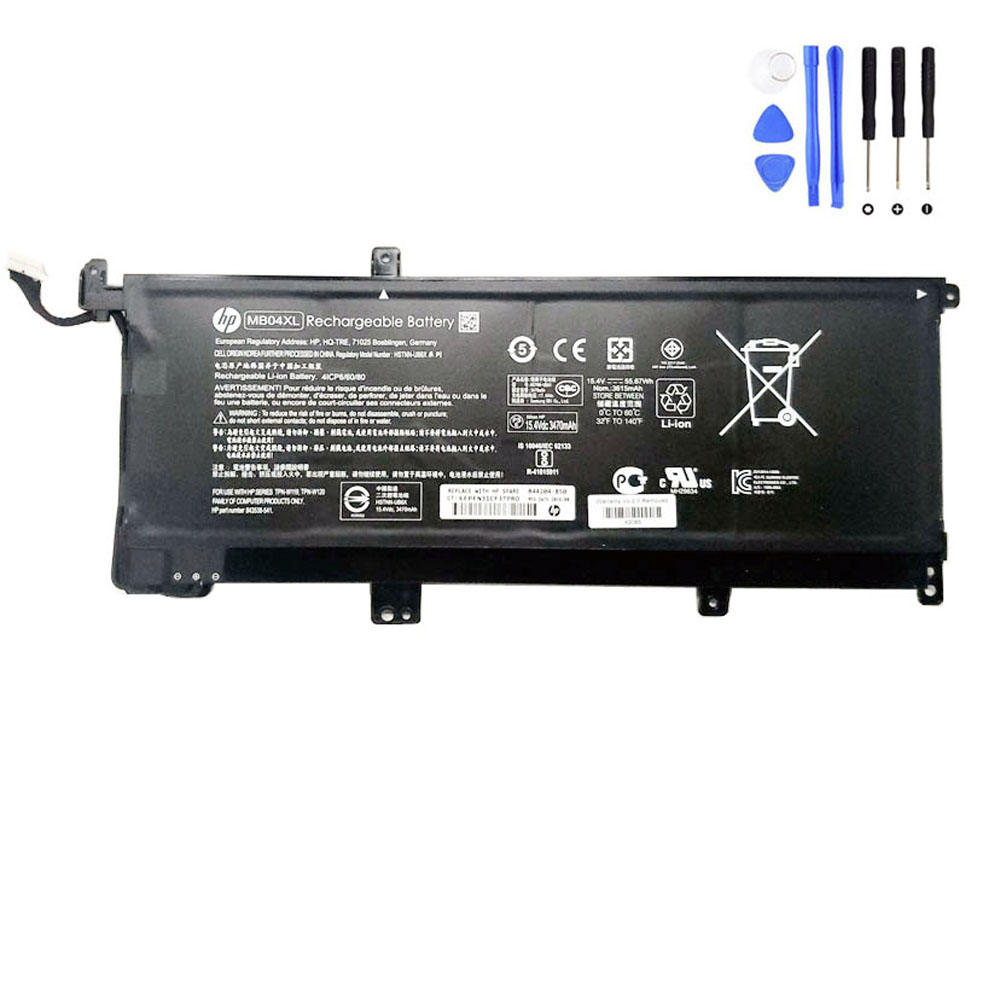
A strong replacement option for compatible HP models labeled MB04XL. Good for users who want stable daily runtime
and fewer low-battery surprises.
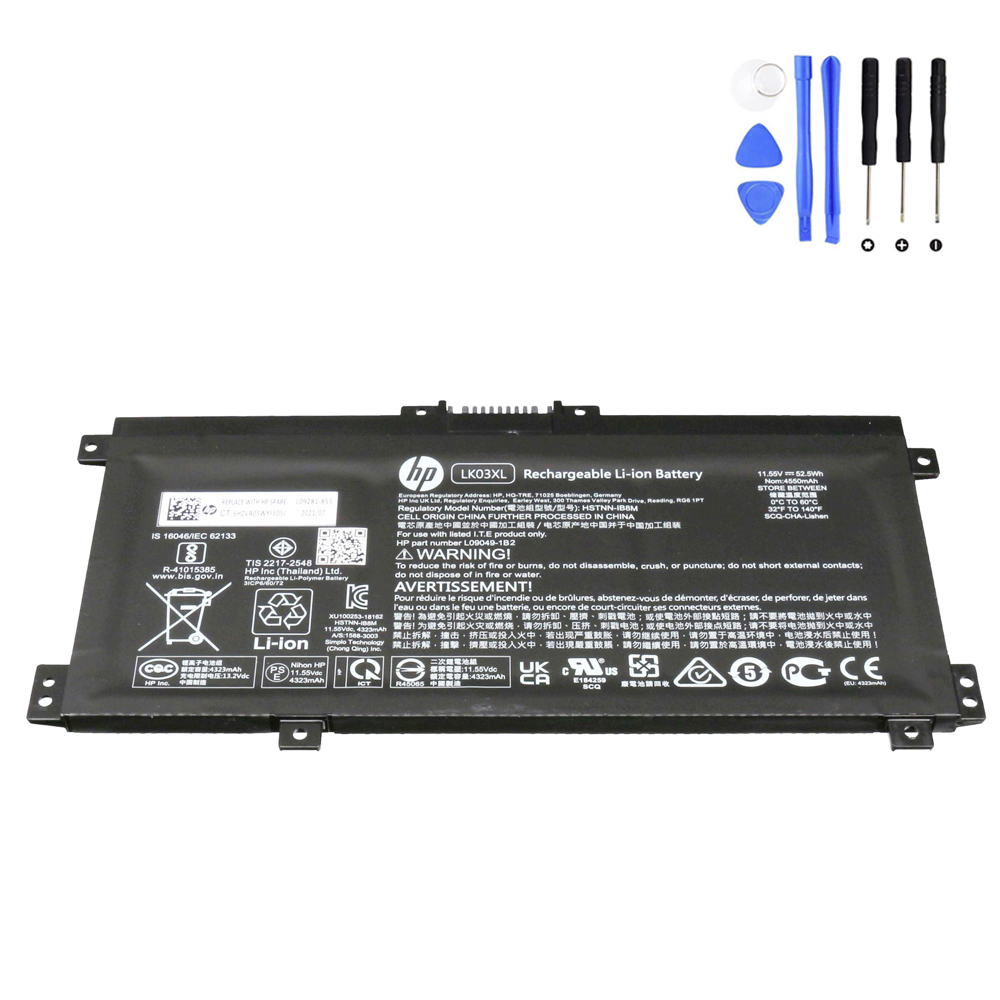
If your battery part number is LK03XL, this is the correct direction for matching fit and connector.
It’s a practical choice for restoring normal Envy x360 portability.
9) After you replace it: testing, calibration, and battery care
- Initial test: confirm the battery is detected in BIOS/UEFI and in Windows.
- Charging test: start around 20–40%, plug in, and confirm the percentage increases steadily.
- Heat check: Envy x360 is thin—avoid charging under heavy load right away; test at idle first.
If the battery meter is inaccurate, do one cycle: charge to 100%, use down to ~10–15%, then charge to 100% uninterrupted.
Don’t calibrate frequently.
Battery longevity tips (good for Envy x360 owners)
- If you stay plugged in most of the day, consider a charge limit mode (when available) to reduce wear.
- Keep the laptop cool—heat is the biggest long-term battery killer in slim 2-in-1 designs.
- Avoid frequent deep discharges to 0%.
FAQ
How do I know which Envy x360 model I have?
Check the bottom label, Windows System Information, or HP Support pages for the exact model series
(examples often look like “13-ar…”, “15m-ee…”, “15-ed…”, etc.). Model series matters more than just “Envy x360.”
Will a new battery fix “plugged in, not charging”?
Sometimes—but not always. That message can also be caused by a weak/incorrect charger, charging thresholds,
or power management settings. Check charger wattage and HP diagnostics first.
What’s the most common reason a replacement battery doesn’t work?
Buying by “Envy x360” name alone instead of matching exact model series + battery part number.
Always match by the battery’s printed part number (HT03XL / GD03XL / MB04XL / LK03XL).
Start with the HP battery collection, then match your original battery label (part number) and your exact Envy x360 model series.