If you’ve ever typed “HP laptop battery replacement” into Google, you’ve probably seen multiple batteries that
seem to match your laptop—until you notice different voltage, different cable position, or a connector that
doesn’t look the same. This is one of the most common reasons people order the wrong HP battery.
The solution is simple: don’t buy by the laptop family name alone (like “Pavilion 15”).
Instead, match by the identifiers that actually define compatibility:
battery model code, HP spare/part number, voltage, and
connector position. This guide shows you exactly how.
The safest way to know which HP battery to buy is to match the battery model code on your battery label
(examples: HT03XL, LK03XL, WK06XL) and confirm
voltage + connector position using product photos. If you can’t access the battery label, use your laptop’s
serial/product number to find the correct HP spare/part number in a parts listing, then match it on our site.
Why people order the wrong HP battery
These are the most common “wrong battery” scenarios for HP laptops:
- Same laptop name, different sub-model: “HP Pavilion 15” can have multiple internal layouts.
- Similar battery code family: Two batteries may look nearly identical but have a different cable or connector placement.
- Voltage mismatch: A battery from a similar series may be a different voltage (and should not be substituted).
- Short-line vs long-line form factor: Same brand, same size class, different mounting points.
The “golden rule” for buying the correct HP battery
The laptop family name is not enough. Your best match is the battery model code printed on the battery label.
If you can’t access it, use your serial/product number to find the correct HP battery spare/part number in a parts listing.
4-point compatibility checklist (connector/voltage-proof)
1) Match the battery model code (your main “shopping keyword”)
The battery model code is usually the quickest way to find the correct replacement listing.
Examples include HT03XL, AE03XL, MU06, WK06XL.
If the product page lists your exact code, you’re already close to a correct match.
2) Confirm the HP spare/part number (your best cross-check)
Many HP batteries include a line like “Replace with HP Spare” on the label, and HP parts listings often reference the same spare/part number.
If both the battery code and the HP spare number match, your chances of a wrong-fit order drop dramatically.
3) Verify voltage (don’t “close enough” this one)
Voltage is a compatibility anchor. Even if the shape looks similar, a different voltage battery is a red flag.
When you compare products, the voltage printed on the product page should match the expected battery family for your laptop.
4) Confirm connector position and cable routing (the #1 reason “it doesn’t fit”)
For internal batteries, connector position and cable exit direction are often the deciding factor between two similar batteries.
Always compare:
- Where the connector sits on the battery
- Cable length and cable direction (left/right/top/bottom edge)
- Mounting holes / bracket shape
That’s the most common reason a battery “almost fits” but fails at installation.
If you only have a serial number (and can’t access the battery label)
No problem. This is where serial-number matching becomes your HP battery finder:
- Find your HP serial number on the bottom label (often shown as S/N).
- Use the serial number to look up your device’s compatible replacement parts (battery entry) and note the battery spare/part number.
- Search that battery code/part number on our HP battery category page and compare product photos.
our HP battery selection page
and use your battery code or HP spare number to match.
Should you buy a higher Wh battery for longer runtime?
Sometimes yes—but only if HP lists it as compatible for your exact chassis, and the physical layout matches.
A higher-capacity battery can be physically larger or use different mounting points. If the higher Wh version is not explicitly compatible,
it can cause fitment problems.
- Safe upgrade: Same battery code family + matching voltage + matching connector position + same mounting layout.
- Risky guess: Same laptop name, higher Wh, but different battery code or different photo layout.
Popular HP batteries (clickable images)
These are popular HP battery listings on Fixing-Tools. Click any image to open the product page.
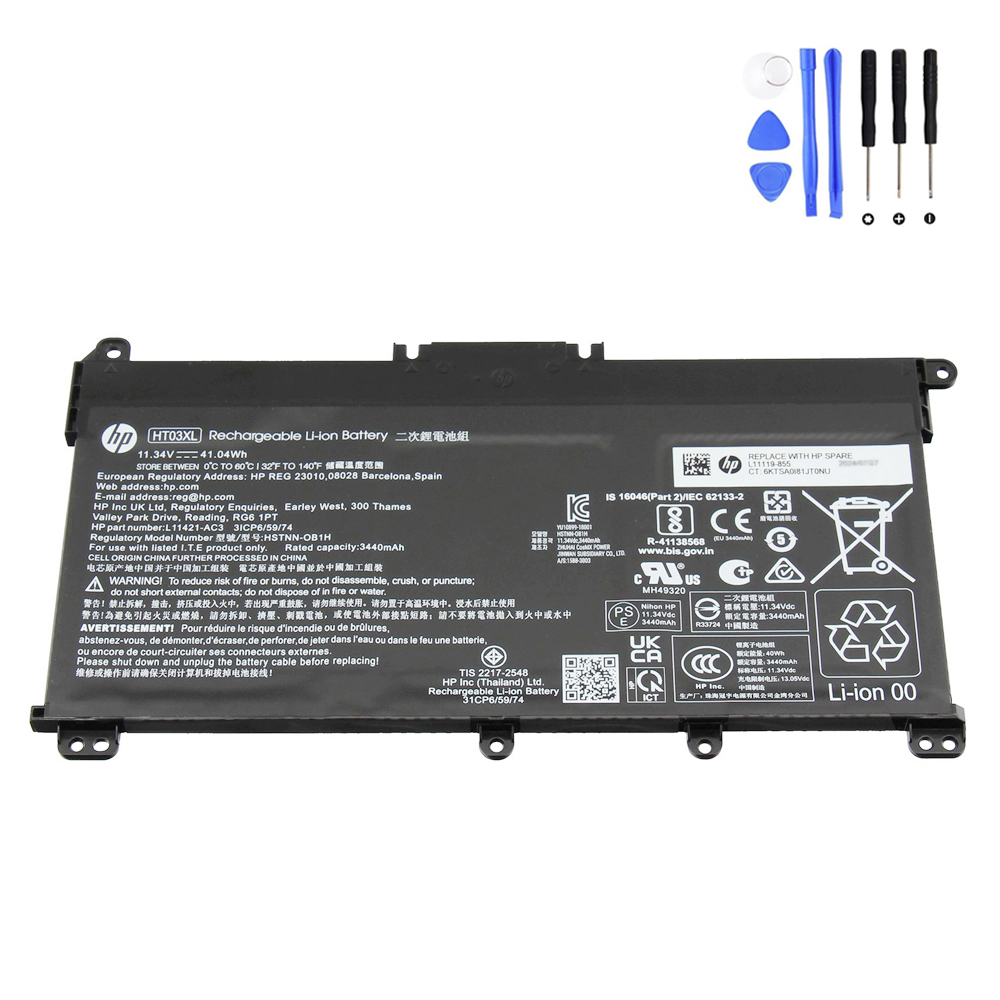
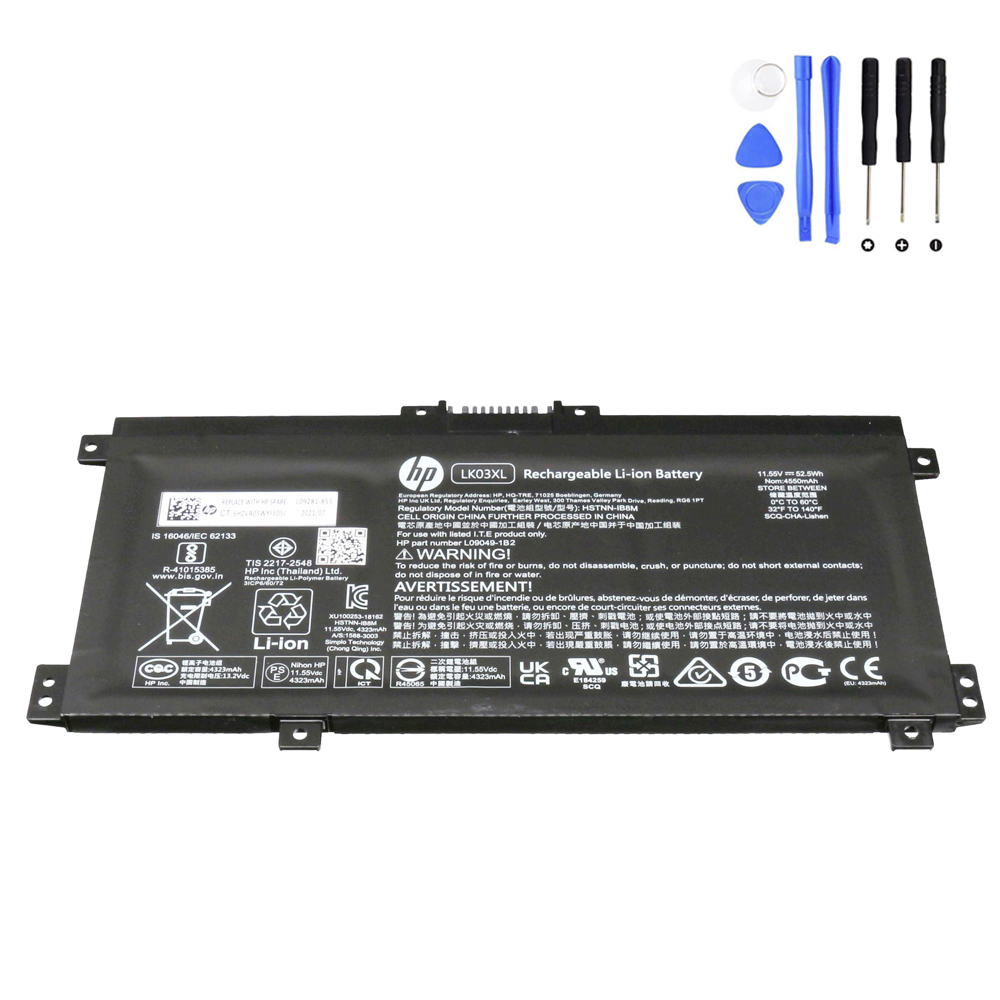
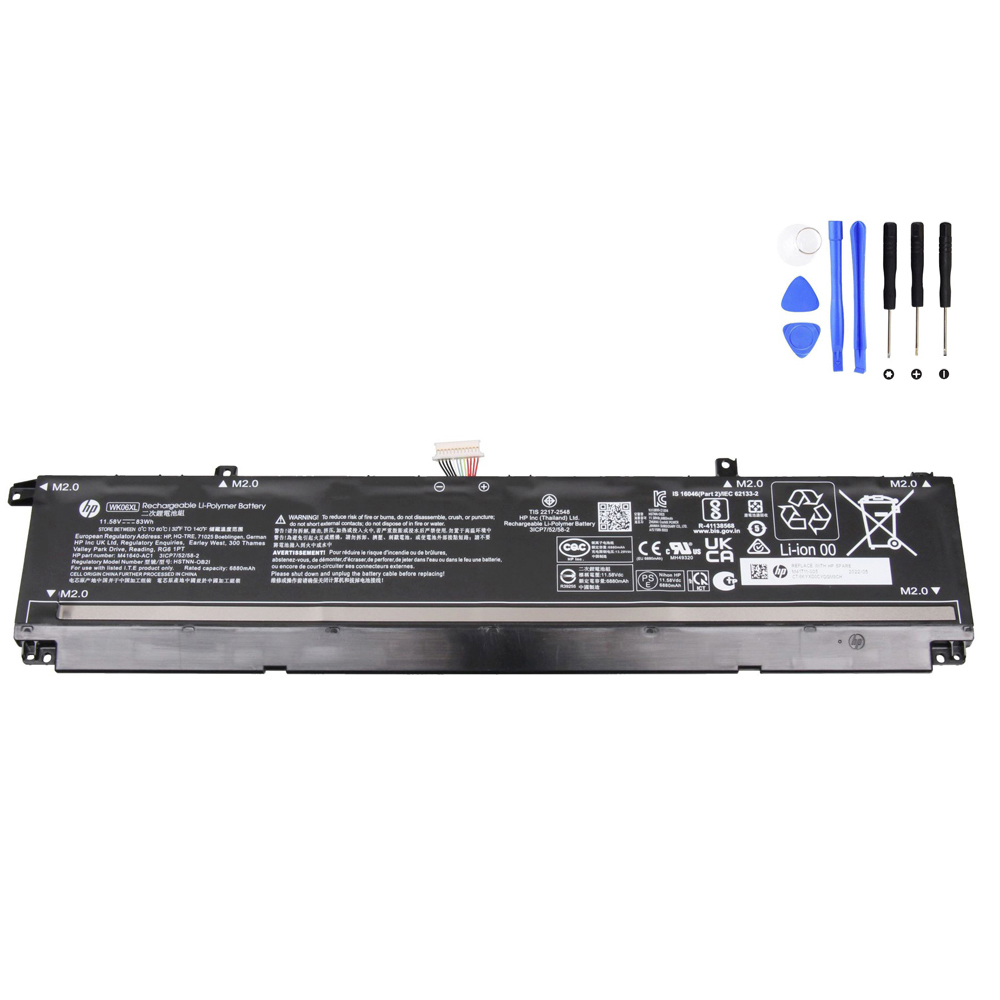
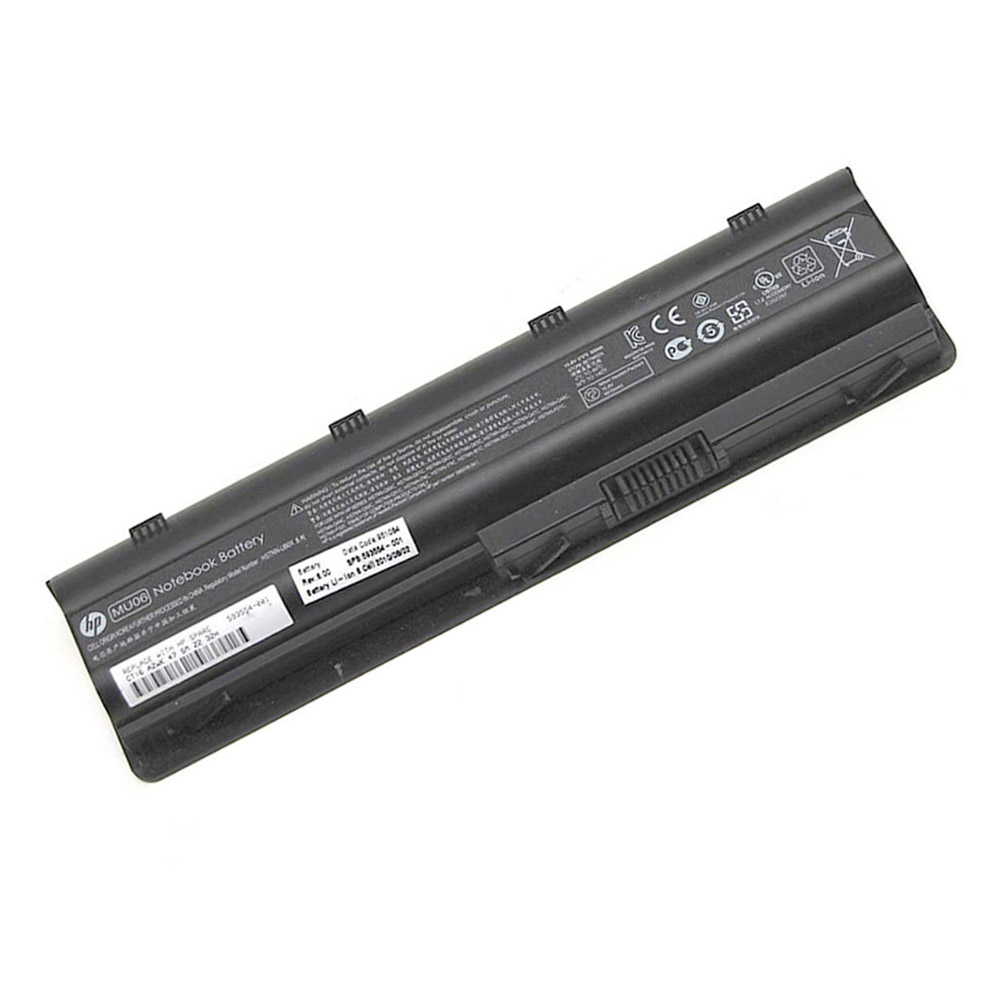
FAQ
Can I use an HP battery with the same connector but different voltage?
You should avoid substituting a different voltage battery. Voltage is a core compatibility spec, and a mismatch is a strong sign the battery is not intended for your model.
Always match the correct battery code or HP spare/part number.
Why does the connector location matter so much?
Internal batteries often have similar shapes, but the cable route must reach the motherboard socket without tension.
If the connector is on the wrong side or the cable exits in a different direction, installation can fail even if the battery “looks close.”
What info should I collect before ordering?
- Battery model code (best)
- HP spare/part number (if available)
- Voltage (V)
- A quick photo comparison of connector position and mounting layout