Yes – the Lenovo ThinkPad T480 is designed to use two batteries at the same time.
It’s built around Lenovo’s Power Bridge system, which combines:
- an internal battery inside the laptop, and
- a removable external battery on the back.
This dual-battery design lets the T480 run longer on battery power and even allows you to
hot-swap the external battery without shutting the laptop down.
Below we’ll break down exactly how it works, which batteries are used, and what your upgrade options are.
View all T480 compatible batteries
1. How the T480’s dual-battery system works
Every ThinkPad T480 has:
- one built-in 24Wh internal battery, plus
- one external removable battery (24Wh, 48Wh or 72Wh).
Windows and Lenovo Vantage will usually show these as Battery 1 and Battery 2.
Typically:
- Battery 1 = internal 24Wh pack
- Battery 2 = external rear battery
When you unplug the AC adapter, the system intelligently draws power from both batteries.
If you remove the external pack while the laptop is on, the internal battery keeps the system alive,
so you can swap in a charged external battery – that’s the whole idea behind Power Bridge.
2. The internal battery: 24Wh Lenovo 01AV421
The internal battery is a slim pack mounted inside the chassis.
It’s not meant to be removed every day, but it is replaceable when it becomes weak.
In the T480, that internal pack is normally a 24Wh battery such as:
- Capacity: 24Wh
- Type: Internal battery (Battery 1)
- Typical FRU / Part: Lenovo 01AV421
If your T480 dies quickly even with a new external battery, it usually means the internal 24Wh pack is also worn
and should be replaced.

3. External battery options: 24Wh, 48Wh or 72Wh
At the back of the T480 you’ll find the external battery bay.
This is a removable pack that slides into the bottom/rear of the laptop.
You can choose between three capacities, all compatible with the T480:
- 24Wh external (slim, “61”)
- 48Wh external (medium, “61+”)
- 72Wh external (extended, “61” high-capacity)
3.1 24Wh external battery – Lenovo 01AV423 / 61
- Capacity: 24Wh
- Profile: Low profile, keeps the T480 light and slim
- Position: Rear, removable
- Typical FRU / Name: 01AV423, “61” battery
This is the smallest rear battery option.
Paired with the 24Wh internal pack, you get about 48Wh total – enough for light office work and portability.

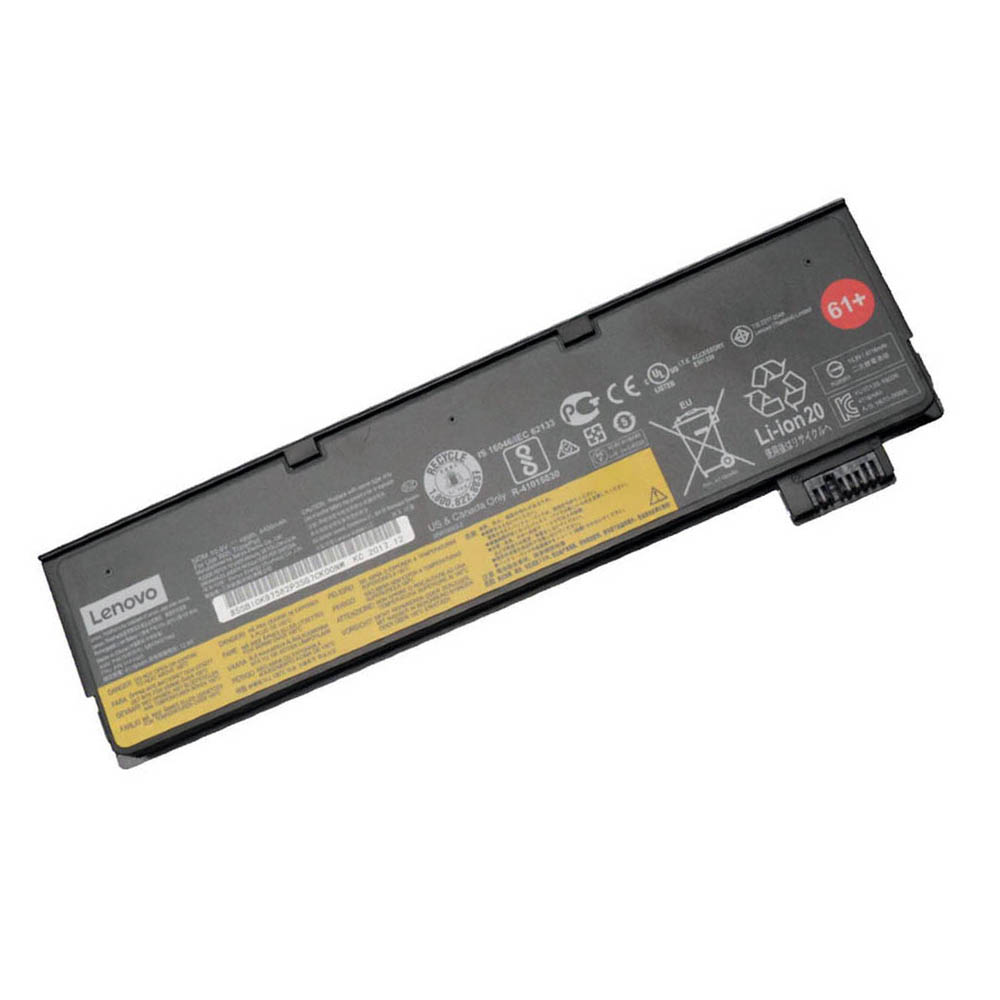
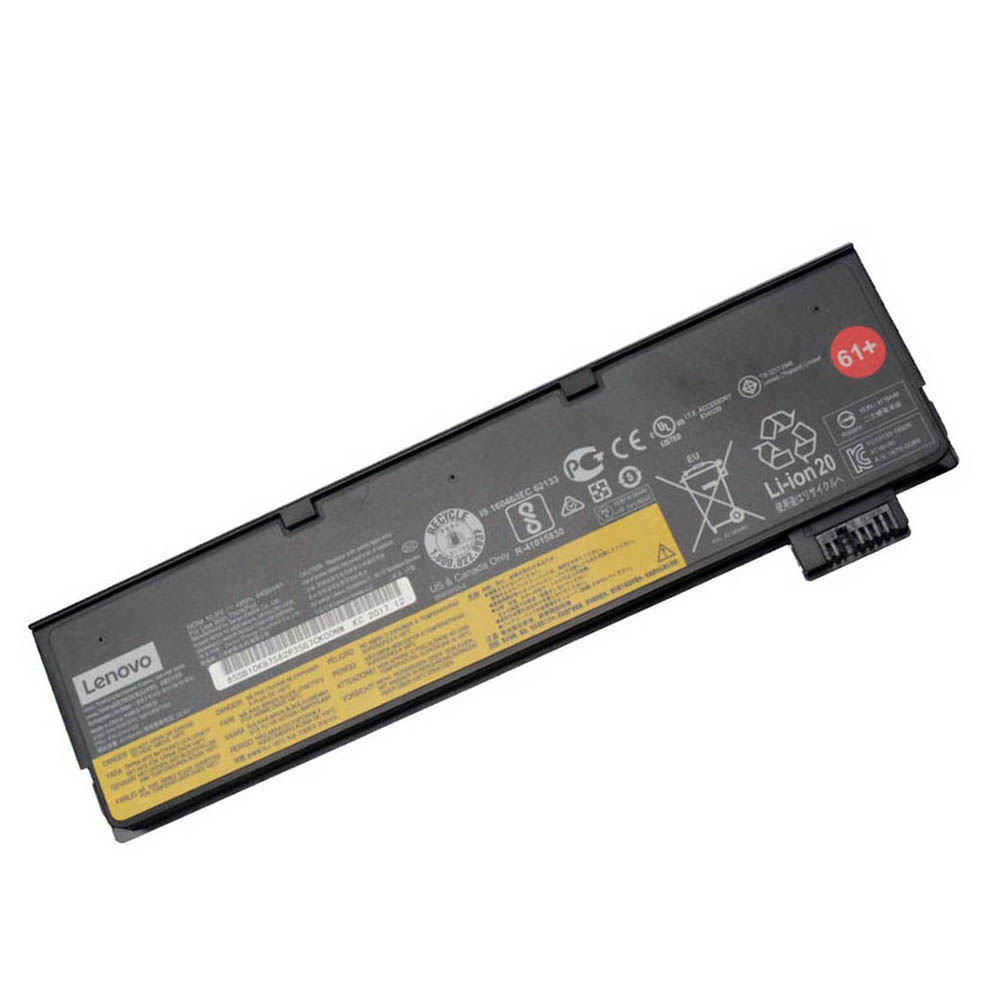
3.2 48Wh external battery – Lenovo 01AV427 / 61+
- Capacity: 48Wh
- Profile: Slightly extended, a bit thicker at the back
- Position: Rear, removable
- Typical FRU / Name: 01AV427, “61+” battery
This 48Wh option is the most popular upgrade.
Together with the internal battery, it gives you around 72Wh total capacity – noticeably longer runtime
without making the T480 excessively heavy.
3.3 72Wh external battery – Lenovo 61 extended
- Capacity: 72Wh
- Profile: Extended “battery foot” – sticks out the back and adds weight
- Position: Rear, removable
- Typical Name: 61 extended / high-capacity
If you want maximum battery life, this is the one to choose.
Combined with the 24Wh internal battery, you get around 96Wh total – ideal for travel and all-day use away from power outlets.
4. How to tell if your T480 is using both batteries
You can easily check the status of both batteries in Windows:
- Right-click the battery icon in the taskbar and open Power & battery (or use Settings → System → Power & battery).
- On older Windows builds or in Lenovo Vantage, look for Battery 1 and Battery 2.
- You should see separate percentage and health information for each battery.
If you only see one battery, it may mean:
- The external battery is not properly seated.
- The external pack is dead and not detected.
- The internal pack has failed (if you removed the external and it shuts off instantly).
5. What happens if one of the two batteries fails?
Internal battery fails
- The laptop relies heavily on the external battery only.
- Hot-swap (Power Bridge) may no longer work safely.
- The system can shut down immediately if you remove the rear battery.
In this case, you should replace the 24Wh internal battery 01AV421.
External battery fails
- The T480 still runs from the internal battery, but runtime is much shorter.
- You lose the ability to hot-swap or extend runtime.
Here, you can simply install a new external pack – 24Wh, 48Wh or 72Wh depending on your needs.
6. Which dual-battery setup is best for you?
| Setup | Total capacity | Best for |
|---|---|---|
| 24Wh internal + 24Wh external | ≈ 48Wh | Light, slim daily use, short trips |
| 24Wh internal + 48Wh external | ≈ 72Wh | Balanced runtime vs. weight – ideal for most users |
| 24Wh internal + 72Wh external | ≈ 96Wh | Travel, field work, full day away from power |
7. So, does the T480 have two batteries?
Yes.
The ThinkPad T480 is designed to run with two batteries:
- a 24Wh internal battery (01AV421), and
- an external 24Wh, 48Wh or 72Wh rear battery from the Lenovo 61 family.
This dual-battery Power Bridge system is one of the main reasons the T480 is still so popular:
you get flexible runtimes, hot-swap capability and the option to upgrade to a larger external battery
instead of replacing the whole laptop.