Yes—Dell XPS 15 batteries can be replaced.
On most XPS 15 generations, the battery is an internal pack (so it isn’t “hot-swappable”), but it is still a serviceable part.
- Restores real portability: get back the unplugged runtime the XPS 15 is known for.
- Improves stability: worn batteries can cause sudden shutdowns and inaccurate battery percentage readings.
- Prevents physical issues: aging batteries can swell and put pressure on the chassis and trackpad area.
- Extends the life of a premium laptop: a battery swap is often the most cost-effective upgrade/repair.
Dell XPS 15 models covered in this guide
Below is a practical overview of the specific XPS 15 models you listed—what makes each one distinct and what to consider when planning a battery replacement.
| Model | Typical era | Key characteristics (high-level) |
|---|---|---|
| XPS 15 7590 | Late-2010s | Classic XPS 15 generation before the larger chassis redesign; popular for strong performance options and premium display choices. |
| XPS 15 9500 | 2020 redesign era | Major chassis refresh with a taller-screen design and thinner bezels; internal battery replacement is common as these systems age. |
| XPS 15 9510 | Early-2020s | Iterative update over the 9500 design with platform upgrades; battery replacement remains serviceable via bottom cover removal. |
| XPS 15 9520 | Early-2020s | Another iteration in the same chassis family; users often replace batteries as cycles accumulate, especially on performance configurations. |
| XPS 15 9530 | Early-2020s | Further platform updates in the same design language; still a replaceable battery, typically internal. |
| XPS 15 9550 | Mid-2010s | Well-known InfinityEdge-era XPS 15 platform; many units are still in use and commonly need a battery refresh. |
| XPS 15 9560 | Mid/late-2010s | Performance-focused configurations; many owners replace the battery after years of heavy daily charging cycles. |
| XPS 15 9570 | Late-2010s | Refreshed platform options; battery replacement is a normal maintenance item as runtime drops over time. |
| XPS 15 9575 2-in-1 | Late-2010s | 2-in-1 design (different internal layout compared to clamshell models). Battery is still replaceable but parts/layout differ. |
| XPS 15 9530 (End of Life) | Legacy support status | “End of Life” typically refers to a support lifecycle stage. Even if a model is EOL, batteries can still be replaced if the correct part number is matched. |
| XPS 15 L501X | Early-2010s | Older, thicker chassis generation. Battery replacement is usually straightforward compared to newer ultrathin designs. |
| XPS 15 L502X | Early-2010s | Another early-era XPS 15 platform; many users replace batteries to keep older systems usable for basic tasks. |
| XPS 15 L521X | Early-2010s | Legacy multimedia-focused generation; batteries are still service items and commonly replaced due to age alone. |
| XPS 15Z L511Z | Early-2010s | “XPS 15z” thin-style variant; battery replacement is possible, but it’s important to match the exact part number for the 15z platform. |
Symptoms that usually mean it’s time to replace your XPS 15 battery
Battery wear is normal over time, but these specific symptoms strongly suggest replacement is the right fix (not just changing power settings).
- Runtime collapses: you go from hours to minutes even after a full charge.
- Sudden shutdowns at 20–60%: the laptop powers off even though the percentage isn’t near zero.
- Battery percentage jumps: drops quickly, then “sticks,” then drops again.
- Not charging normally: charge stops early or the laptop alternates between charging/not charging.
- Health warnings: BIOS/diagnostics report battery health as poor/needs service.
- Physical changes: bottom cover/palm rest doesn’t sit flush, or the trackpad click feels different (stop using and inspect).
- Heat + fast drain: battery drains unusually fast even at light workloads.
Before you replace: rule out a charger/port issue first
Not every “battery won’t charge” situation is a bad battery. Before ordering, do these quick checks:
- Use the correct Dell adapter wattage for your configuration (underpowered chargers can cause odd charging behavior).
- Check the connection stability (if charging only works at certain angles, the port/jack may be involved).
- Review charging limits (some BIOS settings intentionally stop charging at 80–90% to extend lifespan).
Use your Dell Service Tag (bottom label or BIOS) to confirm the correct battery part number for your exact configuration,
then match that part number to a replacement listing.
Recommended replacement option
If your battery label or parts lookup shows the compatible part number 6GTPY,
you can order a matching replacement below (always confirm by Service Tag or battery label before purchase).
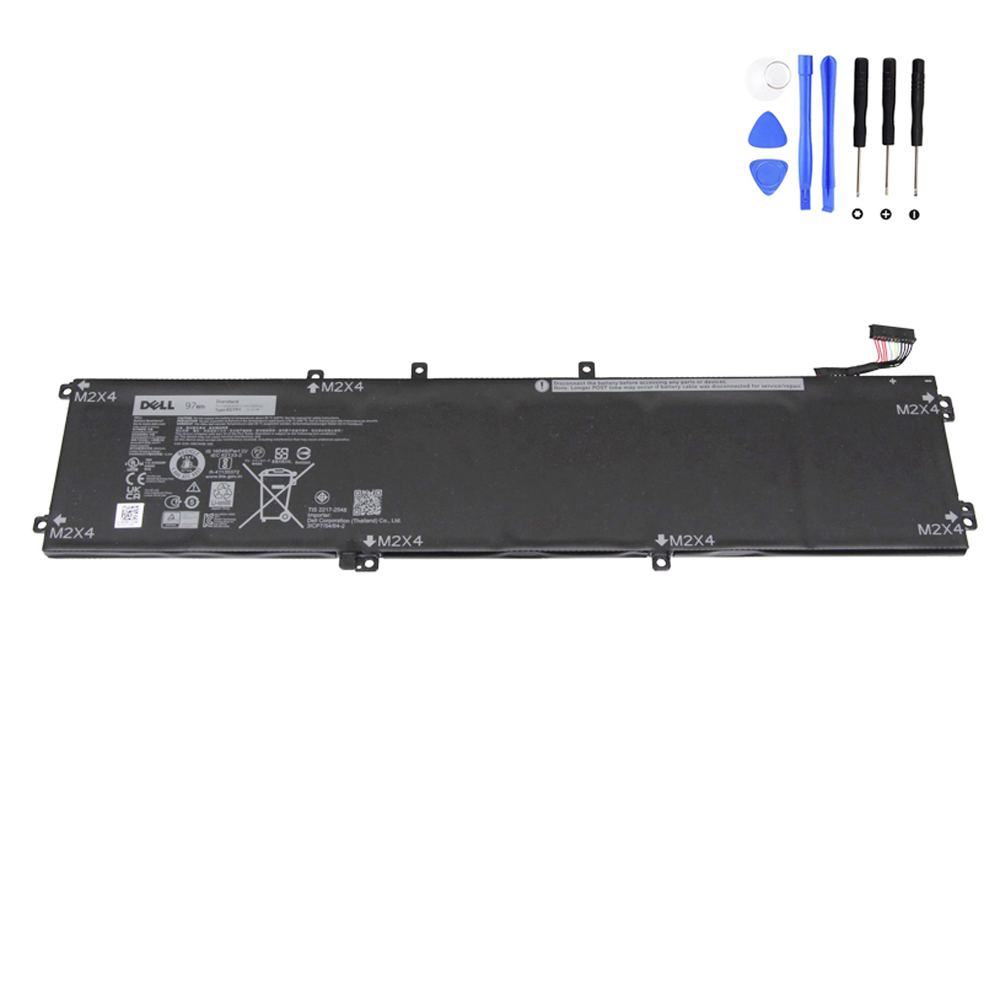
97Wh Dell 6GTPY Battery (Click to view)
FAQ
Is the Dell XPS 15 battery user-replaceable?
In most XPS 15 generations, the battery is internal—so replacement typically requires removing the bottom cover.
It’s replaceable, but not usually “tool-free.”
Will replacing the battery improve performance?
A fresh battery mainly restores runtime and stability. However, if a worn battery is causing power instability
(shutdowns, charging drops, erratic percentage), replacement can indirectly improve the overall experience.
What information should I collect before ordering?
- Dell Service Tag (best for parts lookup)
- The battery’s printed part number (from the battery label, if accessible)
- Battery capacity (Wh) and connector/layout confirmation when applicable
and are not affiliated with or endorsed by Dell Inc.