
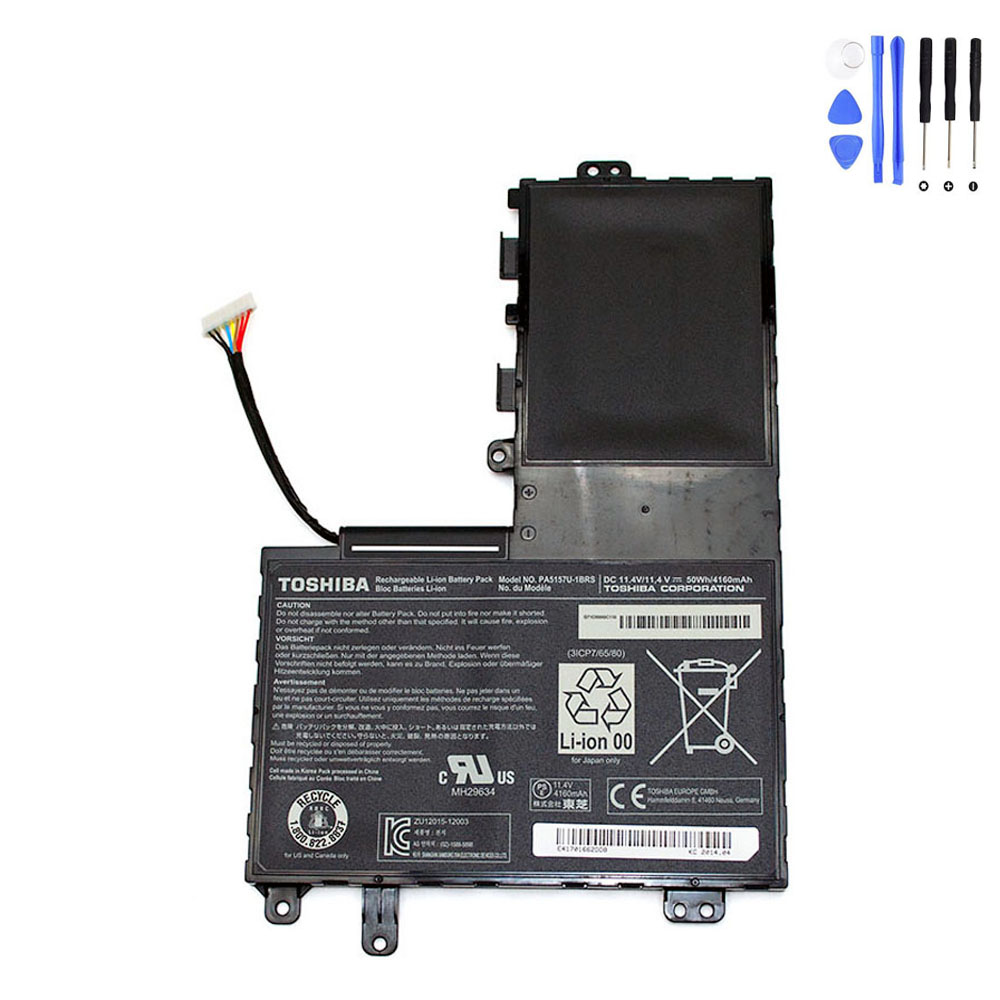
Description
Product Information
- Item Condition: Brand New
- Color: Black
- Capacity: 4160 mAh / 50 Wh
- Output Voltage (Volts): 11.4 Volts
- Number of Cells:3 Cells
- Package Included: 1 x Battery for Toshiba
- Warranty: 12 Months / 30-Day Return
Compatible Part Numbers (not all):
Toshiba G71C000GC110,Toshiba G71C000GC510,Toshiba P000577250,Toshiba P000697290,Toshiba P71C0000GC5AA,Toshiba PA5157U-1BRS
Compatible Model Series (partial list):
Toshiba Satellite M40-A,Toshiba Satellite M50-A,Toshiba Satellite M50D-A,Toshiba Satellite M50DT-A,Toshiba Satellite M50T-A,Toshiba Satellite U40t-A,Toshiba Satellite U50T-A,Toshiba Satellite U940-12K
Reliable Power for Toshiba Satellite M & U Series
Restore your laptop’s mobility with our high-quality PA5157U-1BRS replacement battery. This unit is designed to meet standard technical specifications, ensuring a precise fit and stable performance for compatible Toshiba Satellite ultrabooks and laptops.
Technical Specifications
| Part Number | PA5157U-1BRS |
| Voltage | 11.4 Volts |
| Capacity | 4160 mAh / 50 Wh |
| Battery Type | Lithium-ion (3-Cell) |
| Warranty | 12 Months / 30-Day Return |
How to Confirm Compatibility
Please verify that your original battery’s Part Number or your Laptop Model is listed below before purchasing.
Compatible Part Numbers:
PA5157U-1BRS | P000577250 | P000697290 | G71C000GC110 | G71C000GC510 | P71C0000GC5AA
Compatible Laptop Models:
- Satellite M40-A / M50-A
- Satellite M50D-A / M50DT-A
- Satellite M50T-A
- Satellite U40t-A
- Satellite U50T-A
- Satellite U940-12K
Battery Care & Maintenance
- Initial Setup: For best results, we recommend fully charging the battery to 100% and then discharging it to 10% for the first 2-3 cycles to calibrate the system.
- Everyday Use: Avoid letting the battery drop to 0% frequently. Recharging when it hits 15-20% helps maintain cell longevity.
- Safe Storage: If you are not using your laptop for an extended period, keep the battery at about 50% charge in a cool, dry environment.
Frequently Asked Questions
Q: Why does my laptop say “battery not detected” after installation?
A: This is usually due to a loose connection. Try removing the battery, cleaning the metal connectors with a soft cloth, and re-seating it firmly.
Q: How long will this 50Wh battery last on a charge?
A: On average, a 50Wh battery provides 3 to 5 hours of power, depending on screen brightness and the applications you are running.
Q: Is this battery safe for international travel?
A: Yes, Lithium-ion laptop batteries under 100Wh are generally permitted in carry-on luggage according to standard airline regulations.


Reviews
There are no reviews yet