

Description
Product Information
- Item Condition: Brand New
- Color: Black
- Capacity: 6600 mAh / 69 Wh
- Output Voltage (Volts): 11.1 Volts
- Number of Cells: 4 Cells
- Package Included: 1 x Battery for Dell
- Warranty: 12 Months / 30-Day Return
Compatible Part Numbers (not all):
Dell 8X70T,Dell ALW14D-1728,Dell ALW14D-1828,Dell ALW14D-2728,Dell ALW14D-4728,Dell ALW14D-5528,Dell ALW14D-5728,Dell ALW14D-5828,Dell G05YJ,Dell Y3PN0
Compatible Laptop Model Series (not all):
Alienware 14
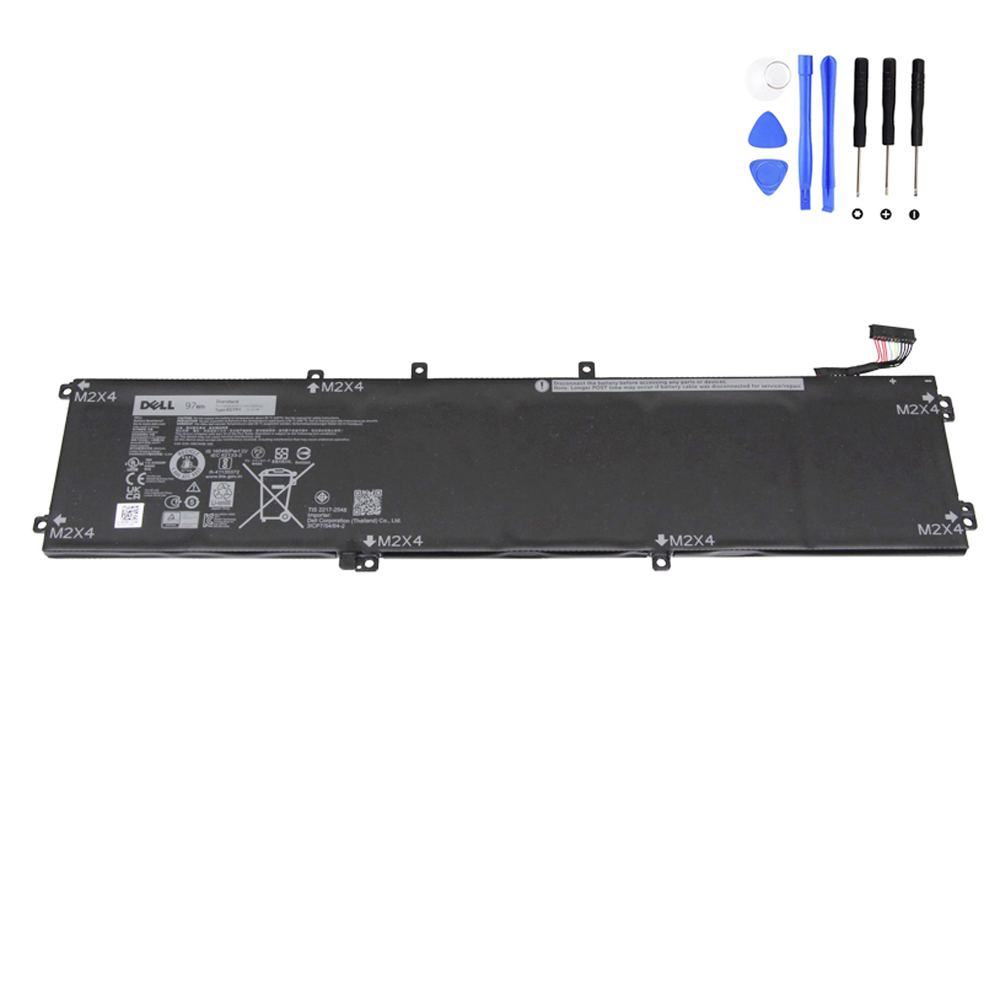
69Wh G05YJ Battery for Dell Alienware 14
Reignite your gaming sessions with the G05YJ (69Wh) premium replacement battery. Specifically engineered for the powerhouse Alienware 14, this 4-cell lithium-ion battery delivers a massive 6600mAh of sustained energy. Built to handle the high-current demands of gaming hardware, it ensures your system remains stable during intense workloads and multitasking.
Technical Specifications
| Part Number | G05YJ / Y3PN0 / 8X70T / ALW14D series |
| Voltage | 11.1 Volts |
| Capacity | 6600 mAh / 69 Wh |
| Cell Configuration | 4-Cell High-Density Performance Cells |
| Condition | Brand New |
| Warranty | 12 Months / 30-Day Return |
Verified Alienware Compatibility
Designed exclusively for the Alienware 14 series:
- Alienware 14 (ALW14D)
- ALW14D-1728 / 1828
- ALW14D-2728 / 4728
- ALW14D-5528 / 5728 / 5828
- Part Number G05YJ
- Part Number Y3PN0
Why Choose the G05YJ Performance Battery?
- Gaming-Grade Stability: 11.1V architecture designed to support the peak power draw of dedicated GPUs without throttling.
- High-Density Li-ion Cells: 6600mAh capacity provides reliable untethered use for creative work or casual gaming.
- Seamless Integration: Fully compatible with Alienware Command Center for accurate battery life monitoring and thermal management.
- Premium Safety Standards: Multi-layer protection system prevents over-charging, overheating, and voltage fluctuations.
Frequently Asked Questions
Q: Is this battery internal or external?
A: The Alienware 14 battery is internal. Installation requires removing the bottom access panel. It is a direct fit for the original G05YJ compartment.
Q: How can I maximize the life of my new battery?
A: For gaming laptops, we recommend using the Dell Power Manager to set charging limits if you primarily use the laptop plugged into AC power.


Reviews
There are no reviews yet